Math in Nuke, the series: Merge & Premultiplication · The Grade Node · ColorCorrect · Saturation, Hue & HSV · Keying · Despill · Matching Colour & Light · Edge Extend · Lin, Log & Gamma · Filtering & Resampling · Edge Detection · Vectors · Trigonometry · Expressions & Curves
Every Transform, Reformat, CornerPin, STMap and LensDistortion has a filter menu with twelve names. Most compositors pick cubic, Lanczos when they want sharp, impulse for data, and never look further. Behind the names there are exact mathematical functions, and I measured them in Nuke 17: I scaled a single white pixel by 8 with each filter and read the shape it left. This page shows what came out, and what those shapes do to images: ringing, aliasing, softness, banding.
Useful Links
- https://learn.foundry.com/nuke/content/reference_guide/transform_nodes/transform.html
- Foundry: Choosing a filtering algorithm
- https://en.wikipedia.org/wiki/Mitchell-Netravali_filters
- https://en.wikipedia.org/wiki/Lanczos_resampling
- https://en.wikipedia.org/wiki/Aliasing
- https://en.wikipedia.org/wiki/Dither
- Convolution and Fourier (this site)
Index
- 01. Pixels are samples
- 02. The cubic family, measured
- 03. Lanczos and sinc4
- 04. Negative lobes and ringing
- 05. Upscaling
- 06. Downscaling and aliasing
- 07. Concatenation: filter once
- 08. Tiny kernels: antialiasing by hand
- 09. Banding and dither
- Filter Lab (try it here)
- Nodes to paste in Nuke
01. Pixels are samples
An image is a grid of numbers measured at the pixel centres. As soon as you move it by 0.3 pixels, rotate it or scale it, the new pixels fall between the old ones, and their value has to be invented from the neighbours. A filter is the rule for that invention, a weight that depends on the distance:
new value = Σ old pixeli × k(distancei) with Σ k = 1
The function k is the kernel. Its shape decides everything: how soft the result is, whether edges get halos, whether fine patterns survive a downscale. It's the same idea as a convolution, with the kernel evaluated at fractional distances.
02. The cubic family, measured
Seven of Nuke's filters are the same formula with two different numbers. In 1988 Mitchell and Netravali described a family of cubic kernels with two parameters, B and C:
|x| < 1: [ (12 − 9B − 6C)|x|³ + (−18 + 12B + 6C)|x|² + (6 − 2B) ] / 6
1 ≤ |x| < 2: [ (−B − 6C)|x|³ + (6B + 30C)|x|² + (−12B − 48C)|x| + (8B + 24C) ] / 6
I fitted every measured kernel to it. These fit exactly (zero error):
| Nuke filter | B | C | character |
|---|---|---|---|
| cubic | 0 | 0 | smooth, no negative lobes, radius 1 |
| Keys | 0 | 0.5 | the classic "Catmull-Rom", mild sharpening |
| Simon | 0 | 0.75 | sharper |
| Rifman | 0 | 1 | sharpest of the cubics |
| Mitchell | 1/3 | 1/3 | the compromise recommended by the paper |
| Parzen | 1 | 0 | the cubic B-spline: soft, no ringing |
| notch | 1.5 | −0.25 | very soft, kills fine patterns |
B is the blur: it widens the kernel and lowers its peak. C is the sharpening: it digs the negative lobes. And there's a difference worth knowing: kernels that are exactly 1 at distance 0 and 0 at every other whole pixel (impulse, linear, cubic, Keys, Simon, Rifman, Lanczos) interpolate: if a transform happens to land on whole pixels, the image comes back untouched. Mitchell (0.89 at the centre), Parzen (0.67) and notch (0.5) approximate: they soften the image even when it doesn't move.
03. Lanczos and sinc4
The ideal interpolator is the sinc function, sin(πx) / (πx), but it never ends. Lanczos cuts it with a wider sinc as a window:
Lanczosa(x) = sinc(x) × sinc(x / a) for |x| < a
The measurement clears up the names: Nuke's Lanczos4 is Lanczos with a = 2 (it uses 4 pixels across), Lanczos6 is a = 3 (6 pixels across). The number counts the pixels, not the radius. sinc4 is its own shape: it reaches 0 at one and two pixels, with the deepest negative lobes of all (−0.21): the sharpest filter in the menu, and the one with the most ringing.
04. Negative lobes and ringing
Negative weights are what makes a filter sharp: they subtract a bit of the neighbours and steepen the edges. The price is ringing: next to a strong edge the filter overshoots, a dark ring next to a bright edge, a bright ring next to a dark one. In scene linear, where a highlight can be 20 times brighter than the surroundings, the overshoot is 20 times bigger and goes below zero:




A 4 × 4 highlight of value 20 on a 0.05 background, scaled up 9 times. Shown through x / (1 + x) so the highlight fits on screen; values below 0 are drawn darker than the background. Only cubic stays clean.
That's why cubic is a safe default for CG with hot highlights, and why the sharp filters are better on plates, where values stay in a narrower range and a little sharpness is welcome.
05. Upscaling
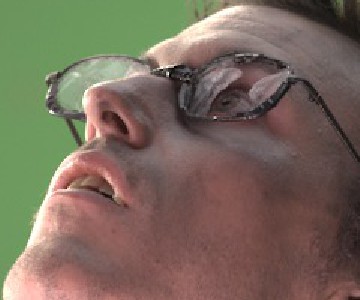
An eye from the Tears of Steel plate, scaled up 6 times with six filters:
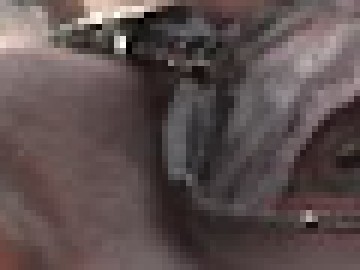
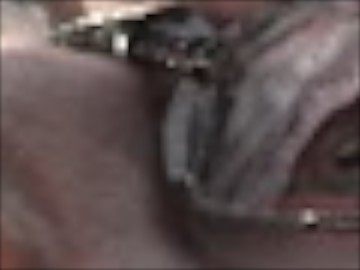
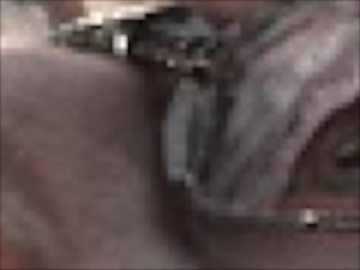
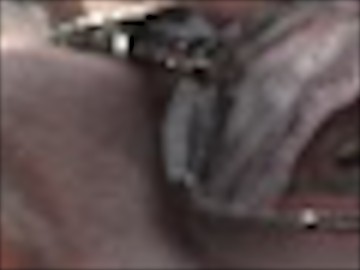
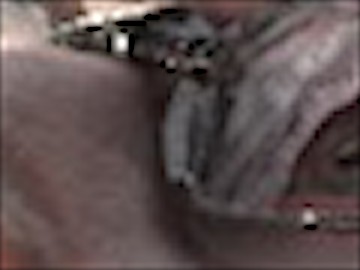
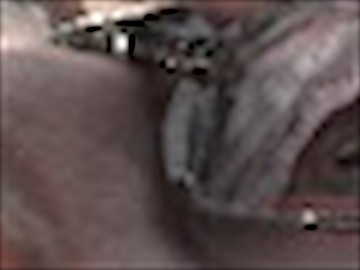
No filter adds detail that isn't there: interpolation only chooses between softness and halos. Smarter upscales use more knowledge about images. My own Upscale gizmo combines three ideas: it works in YCbCr, sharpening the luminance and blurring the chroma, because the eye sees detail in brightness and much less in colour; it uses Nuke's TVIScale, which upscales by minimising the total variation, so it keeps edges sharp without inventing ringing; and it ends with a tiny antialiasing kernel to soften the staircases. Machine learning upscalers go further and actually guess the missing detail.
06. Downscaling and aliasing
Shrinking is the dangerous direction. A grid can only hold details down to two pixels per cycle (the Nyquist limit); anything finer doesn't disappear, it folds into false, coarser patterns: moiré, crawling stripes, jagged edges. A zone plate, rings that get finer towards the edges, shows it at once:
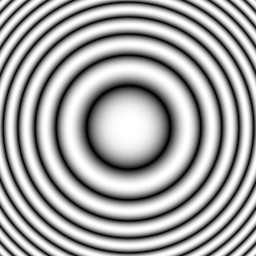
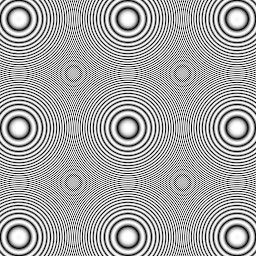
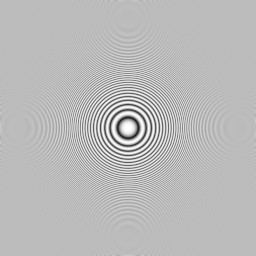
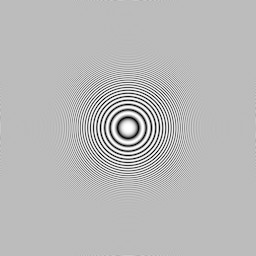
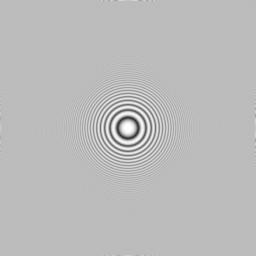
Impulse just picks one pixel every four: everything finer than the new grid aliases. The other filters widen their kernel when the image shrinks, so they average the details away before sampling: the fine rings become a flat grey, which is the correct answer. If you must use impulse (data passes, IDs), blur first by about the scale factor:
07. Concatenation: filter once
Every filter softens a little. Nuke avoids filtering twice when it can: consecutive Transform-type nodes are concatenated, their matrices multiplied into one (see the Transform matrix page), and the image is resampled once. Put a colour node between them and the chain breaks: every Transform filters on its own.
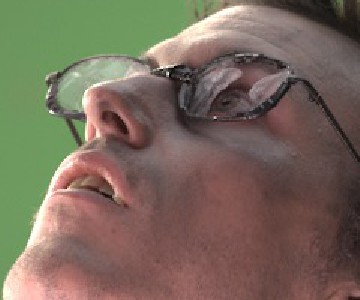
Ten Transforms moving by ±0.37 and ±0.21 pixels, cubic filter. Together they cancel out; when they concatenate the result is the original, when they don't, ten cubic filters stack into a visible blur.
08. Tiny kernels: antialiasing by hand
Sometimes you only want to soften or harden edges a little, without moving anything: CG without enough samples, a hard roto, an upscaled matte. A 3 × 3 convolution is enough. These are the kernels of my AntiAliasingFilter gizmo, each normalised to sum to 1:
| kernel | effect |
|---|---|
| 0 1 0 / 1 2 1 / 0 1 0 | light antialiasing (a small cross) |
| 1 2 1 / 2 4 2 / 1 2 1 | medium: the binomial, a tiny Gaussian |
| 1 1 1 / 1 1 1 / 1 1 1 | strong: a box |
| 0 −0.5 0 / −0.5 3 −0.5 / 0 −0.5 0 | the opposite: a light sharpen |
The sharpening ones have negative weights, so the same warning applies: they can produce values below 0, which is why the gizmo has a black clamp.
09. Banding and dither
The last resampling of all happens at the end: the float image is rounded to the integer levels of the output. With 8 bits there are only 256 levels, fewer in the dark part of a gradient, and a smooth sky can show bands. Here the same dark gradient rounded to 64 levels, to make it obvious:



Rounding makes an error of up to half a level, and in a gradient that error is organised in steps that the eye spots immediately. Dither adds noise of about one level before rounding: the error is the same size, but random, and the eye averages it away. My DitherBlur gizmo refines it for comps: it takes the noise of a Dither node on its own (dither minus original), blurs it a little so it looks like soft grain instead of digital noise, and adds it back to the unpremultiplied image.
Filter Lab
Pick one of Nuke's filters or move B and C yourself. The plot shows the kernel; the image is the eye of chapter 05, scaled 6 times with that kernel, computed here in the page.
Nodes to paste in Nuke
Click a box, copy it (Ctrl+C / Cmd+C) and paste it in Nuke's Node Graph (Ctrl+V / Cmd+V).
Antialiasing kernels. The four 3 × 3 kernels of chapter 08 as Matrix nodes, from the light cross to the sharpen. Disable the ones you don't need.
Soft dither. The DitherBlur idea in three nodes: the noise of a Dither on its own, blurred, added back. Put it last, before the Write.
The math series
The other pages about maths in Nuke:
Merge & Premultiplication
The Grade Node
ColorCorrect
Saturation, Hue & HSV
Keying
Despill
Matching Colour & Light
Edge Extend
Lin, Log & Gamma
Edge Detection
Vectors
Trigonometry
Expressions & Curves
And if you like this, have a look at the Matrices in Nuke series.