

I created this tutorial and this gizmo because I could never remember the various matrices. It collects the most popular convolution kernels for image processing, explained for compositors and ready to paste into Nuke.
You can download the Gizmo for Nuke here:
Download from Nukepedia
I have also created a tool that uses a matrix to find the edges of an object, useful for rim lights:
Quick 2D Rim Light
Matrices in Nuke, the series: Convolution Matrix · Transform Matrix · ColorMatrix · Convolve & Deconvolution · 3D Matrices · Morphology · CornerPin & Homography · BlinkScript Matrices
Useful Links
- https://setosa.io/ev/image-kernels/
- https://en.wikipedia.org/wiki/Kernel_(image_processing)
- http://www.songho.ca/dsp/convolution/convolution2d_example.html
- https://lodev.org/cgtutor/filtering.html
- https://homepages.inf.ed.ac.uk/rbf/HIPR2/mean.htm
- https://homepages.inf.ed.ac.uk/rbf/HIPR2/sobel.htm
- https://homepages.inf.ed.ac.uk/rbf/HIPR2/roberts.htm
- https://beej.us/blog/data/convolution-image-processing/
- https://aishack.in/tutorials/image-convolution-examples/
- https://docs.gimp.org/en/plug-in-convmatrix.html
- Matrix node tutorial by Matthias Eckhardt (PDF)
- https://www.nukepedia.com/tools/gizmos/filter/antialiasing-filter/
- https://en.wikipedia.org/wiki/Sobel_operator
- https://en.wikipedia.org/wiki/Roberts_cross
Index
- Overview: how a kernel works
- A pixel, step by step
- In Nuke
- Kernel Lab (try it here)
- 01-08. Blur
- 09-10. Sharpen
- 11-14. Edges and emboss
- 15-18. Sobel
- 19. Roberts cross
- Bigger kernels
Overview: how a kernel works
A kernel (or convolution matrix, or mask) is a small grid of numbers. To filter an image, you put the kernel on top of a pixel, multiply every number of the kernel by the pixel under it, add everything together and write the result in the new pixel. Then you move to the next pixel and do it again. That's a convolution. Change the numbers and the same operation blurs, sharpens, finds edges or embosses.
Kernels can be 3x3, 5x5, 7x7... Here we use 3x3: it's the most common size and it's enough for most effects. The formula for the output pixel O at position (y, x), with the image I and the kernel F, is:

If the weights don't sum to 1 the image gets brighter or darker, so we divide by the divisor D, the sum of all the weights (or 1 when the sum is 0, as in edge kernels). Some tools also add an offset at the end, useful when the result can be negative. The complete formula:

I = the image, F = the filter (kernel), D = the divisor, L = the size of the kernel (3 for a 3x3).
One detail that confuses everybody: a real convolution flips the kernel horizontally and vertically before using it. So the top-left value of the kernel multiplies the bottom-right pixel:


OUTPUT = i·1 + h·2 + g·3 + f·4 + e·5 + d·6 + c·7 + b·8 + a·9
Most kernels are symmetric (blur, sharpen, Laplacian), so the flip changes nothing. It matters only for directional kernels like emboss and Sobel: a flipped Sobel finds the same edges with the opposite sign.
A pixel, step by step
Here is an edge-detection kernel applied to one pixel (in red). The blue square is the area the kernel reads. You can find a great interactive version of this at songho.ca.

Multiply and add: (47×0) + (22×1) + (25×0) + (52×1) + (51×4) + (50×1) + (35×0) + (47×1) + (49×0) = 375
Divisor: 0 + 1 + 0 + 1 + 4 + 1 + 0 + 1 + 0 = 8
Offset: 0
Result: 375 ÷ 8 = 46.875 ≈ 47
The filter always reads the original image, never the pixels it has already changed.
In Nuke
Create a Matrix node from Filter → Matrix... and choose the size, 3x3 for this page. The key knob is normalize: when it's off, the pixel of the example above becomes 375; when it's on, Nuke divides by the sum of the weights and you get 46.875. Turn it on for blurs, off for kernels that sum to 0 (edges, Sobel), where there's nothing to divide by.

Two ways to use the kernels of this page:
- the row of numbers: copy it, then in the Matrix node right-click the matrix knob and choose Paste → Paste Absolute.
- the dark box: click it, copy it and paste it directly in the Node Graph. You get a Matrix node already set, with normalize on or off as it should be.
0 1 0 1 4 1 0 1 0 normalize: on

Remember that Nuke works in linear float: edge and Sobel kernels give negative values (black in the Viewer) and nothing is clamped. Add a Clamp, or look at the absolute value with an Expression, when you need a clean edge matte.
Kernel Lab
Type any 3x3 kernel or pick one of the presets: the image updates live, in linear light like Nuke. Drag on the image to move the wipe, then copy the node for Nuke.
Matrices
- Original image
Blur
- 01. Identity
A single 1 in the centre: every pixel takes only itself. Nothing changes. It's the neutral kernel, the starting point to build all the others, like f(x) = x.
| 0 | 0 | 0 |
| 0 | 1 | 0 |
| 0 | 0 | 0 |
normalize: on
- 02. Box blur
All weights equal: every pixel becomes the average of its 3x3 neighbourhood. With normalize on, the nine 1s are divided by 9. It's fast and simple, but its square shape can leave a slightly blocky look on strong details.
| 1 | 1 | 1 |
| 1 | 1 | 1 |
| 1 | 1 | 1 |
normalize: on
- 03. Light blur (cross)
The centre counts 4, the four direct neighbours 1, the corners 0. Half of the result comes from the pixel itself, so it's a very gentle softening. It's a rough approximation of a Gaussian, cheaper and lighter than example 04.
| 0 | 1 | 0 |
| 1 | 4 | 1 |
| 0 | 1 | 0 |
normalize: on
- 04. Gaussian blur 3x3
The classic 3x3 Gaussian: 4 in the centre, 2 on the sides, 1 on the corners, divided by 16. The weights fall off smoothly from the centre, so the blur is round and soft, without the blocky look of the box blur. It's also separable: it's the same as a [1 2 1] blur horizontally followed by one vertically, which is why Gaussian blurs are fast.
| 1 | 2 | 1 |
| 2 | 4 | 2 |
| 1 | 2 | 1 |
normalize: on
- 05. Diagonal motion blur
The weights lie on a line, so every pixel is smeared along that line: a motion blur. On the diagonal it looks like an identity matrix, but as a kernel it's a 45° streak. Put the ones in the middle row for a horizontal blur, in the middle column for a vertical one. On a 3x3 it's subtle; bigger kernels give longer streaks.
| 1 | 0 | 0 |
| 0 | 1 | 0 |
| 0 | 0 | 1 |
normalize: on
- 06. Mean filter
The same as the box blur, already divided: nine times 1/9 = 0.111111. It gives the same result with or without normalize, because the weights already sum to 1. Used to reduce noise; running it twice is close to a bigger, softer blur.
| 0.111111 | 0.111111 | 0.111111 |
| 0.111111 | 0.111111 | 0.111111 |
| 0.111111 | 0.111111 | 0.111111 |
normalize: off
- 07. Antialiasing filter (1)
A cross with the centre at 2: a very small blur that softens jagged, aliased edges (stair-stepping on thin lines and CG renders) without losing much detail. There's a gizmo on Nukepedia based on these kernels (link at the top).
| 0 | 1 | 0 |
| 1 | 2 | 1 |
| 0 | 1 | 0 |
normalize: on
- 08. Antialiasing filter (2)
A slightly stronger antialiasing. If it looks familiar, it is: it's exactly the Gaussian 3x3 of example 04. Many "different" filters are the same kernel with a different name.
| 1 | 2 | 1 |
| 2 | 4 | 2 |
| 1 | 2 | 1 |
normalize: on
Sharpen
- 09. Sharpen
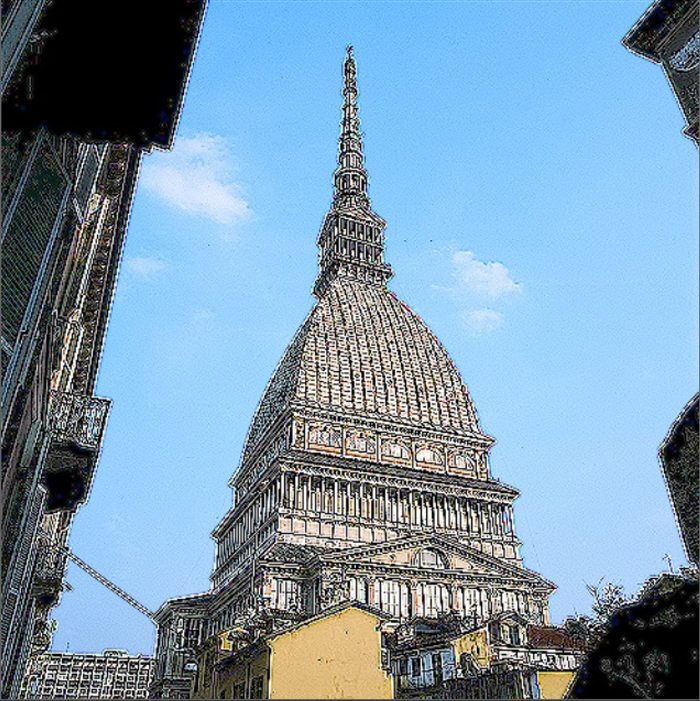
The centre is boosted (5) and the four neighbours are subtracted (-1). The weights sum to 1, so flat areas don't change, but wherever a pixel differs from its neighbours the difference gets bigger: edges look crisper. It's the original image plus an edge detection (example 11 with the sign flipped). Sharpening can't rescue a really blurry image: for that see the deconvolution.
| 0 | -1 | 0 |
| -1 | 5 | -1 |
| 0 | -1 | 0 |
normalize: on
- 10. Strong sharpen
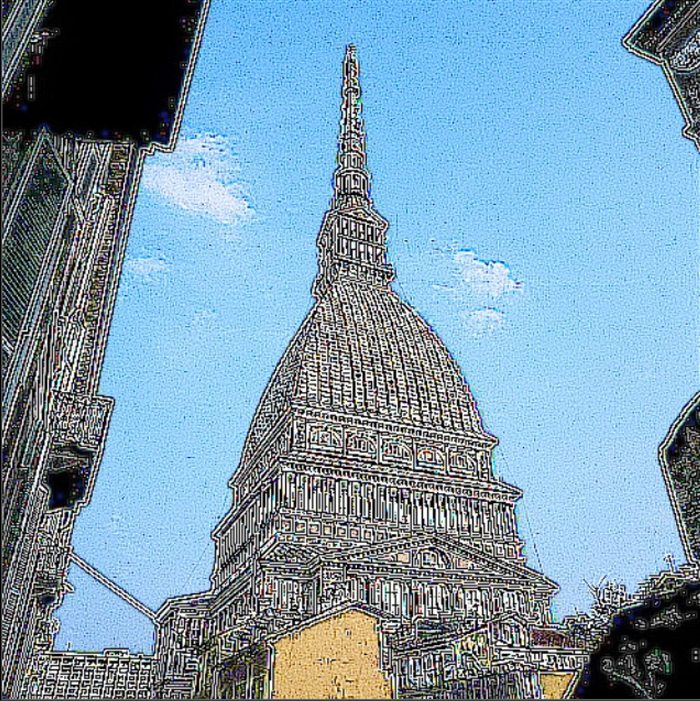
The same idea with all eight neighbours subtracted and the centre at 9. Much stronger, it also amplifies grain and compression artefacts. Use the mix knob to dose it.
| -1 | -1 | -1 |
| -1 | 9 | -1 |
| -1 | -1 | -1 |
normalize: on
Edges and emboss
- 11. Edge detect (Laplacian)
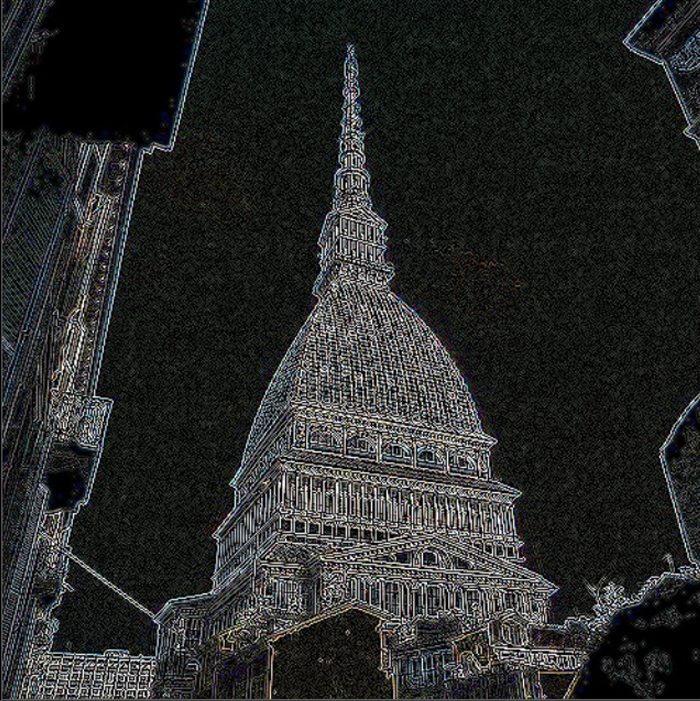
The four neighbours minus four times the centre. The weights sum to 0: flat areas become black and only the changes survive, in every direction. It's the Laplacian, the "second derivative" of the image. Turn normalize off.
| 0 | 1 | 0 |
| 1 | -4 | 1 |
| 0 | 1 | 0 |
normalize: off
- 12. Horizontal difference
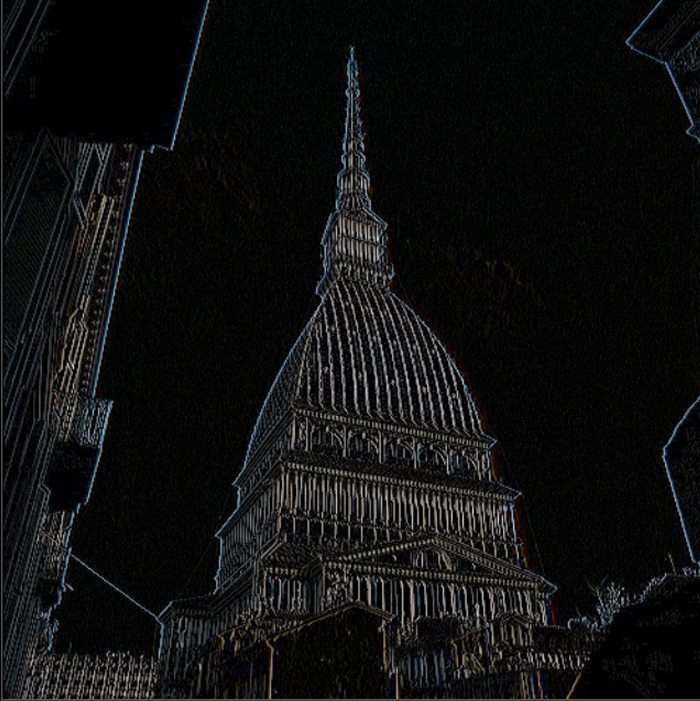
Each pixel minus its neighbour on the side: the simplest possible derivative. It shows the vertical edges (where the image changes from left to right) and ignores the horizontal ones. Often called "edge enhance", it's the basic block of Sobel and Roberts below.
| 0 | 0 | 0 |
| -1 | 1 | 0 |
| 0 | 0 | 0 |
normalize: off
- 13. Emboss
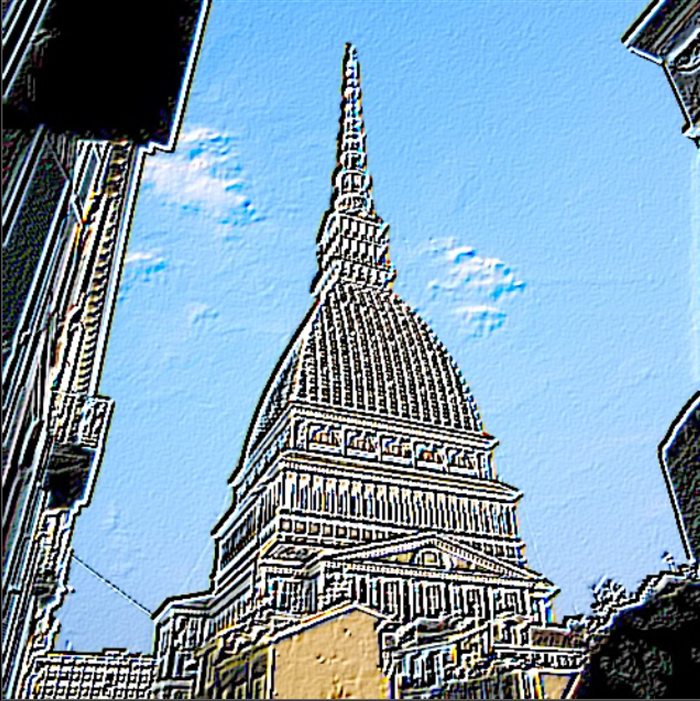
Negative weights on one side, positive on the other, along the diagonal: edges facing one way get lighter, the opposite ones darker, as if the image was pressed in metal and lit from a corner. The weights sum to 1, so the image keeps its colours. Rotate the numbers to move the "light".
| -2 | -1 | 0 |
| -1 | 1 | 1 |
| 0 | 1 | 2 |
normalize: on
- 14. Outline
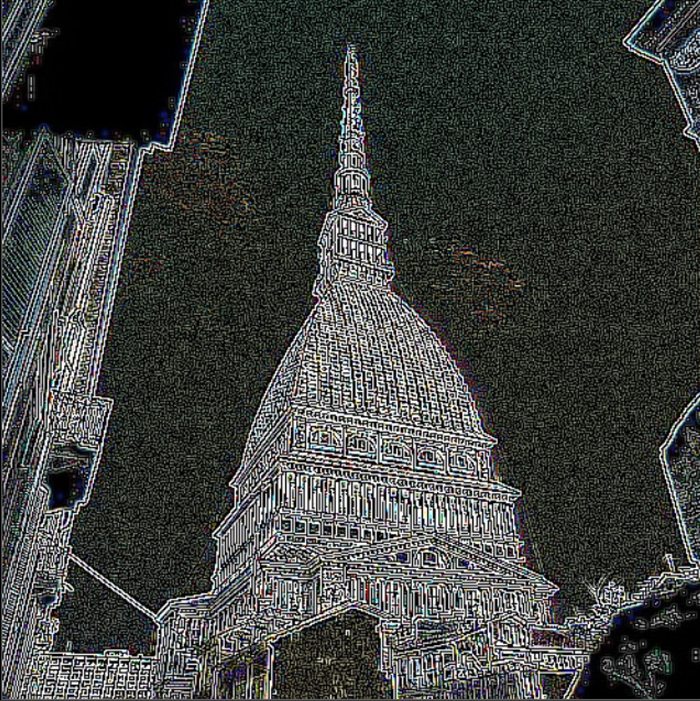
The centre times 8 minus all eight neighbours. Like the Laplacian, but it also looks at the diagonals, so it gives thicker, stronger outlines. Flat areas go to black, normalize off.
| -1 | -1 | -1 |
| -1 | 8 | -1 |
| -1 | -1 | -1 |
normalize: off
Sobel
The Sobel kernels measure how fast the image changes in one direction, giving more weight to the middle row or column. Each one finds edges in one direction; combine two of them (horizontal and vertical) to get all the edges. Normalize off for all four.
- 15. Top Sobel
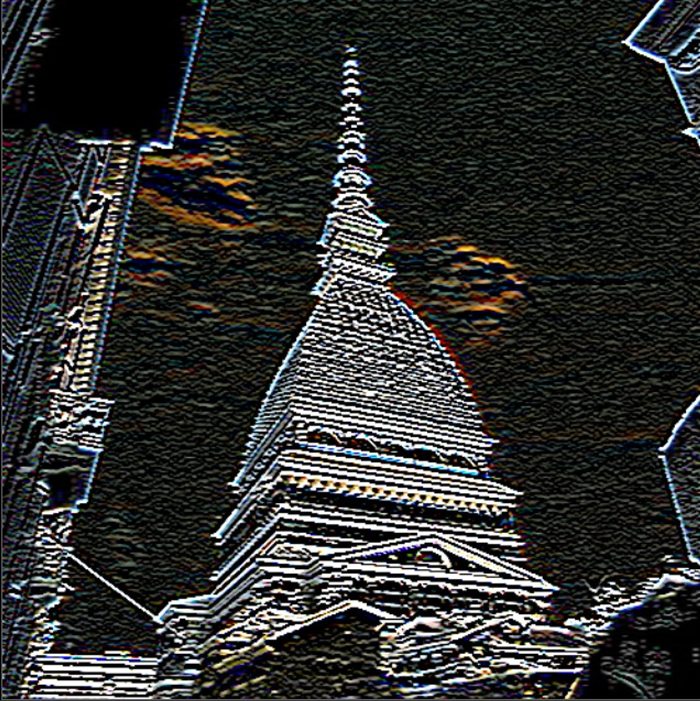
Top row against bottom row: it finds the horizontal edges (where the image changes from top to bottom).
| 1 | 2 | 1 |
| 0 | 0 | 0 |
| -1 | -2 | -1 |
normalize: off
- 16. Bottom Sobel
The same kernel upside down (all signs flipped): the same horizontal edges, with the opposite sign. Edges that were negative (black) in the top Sobel become positive here.
| -1 | -2 | -1 |
| 0 | 0 | 0 |
| 1 | 2 | 1 |
normalize: off
- 17. Right Sobel
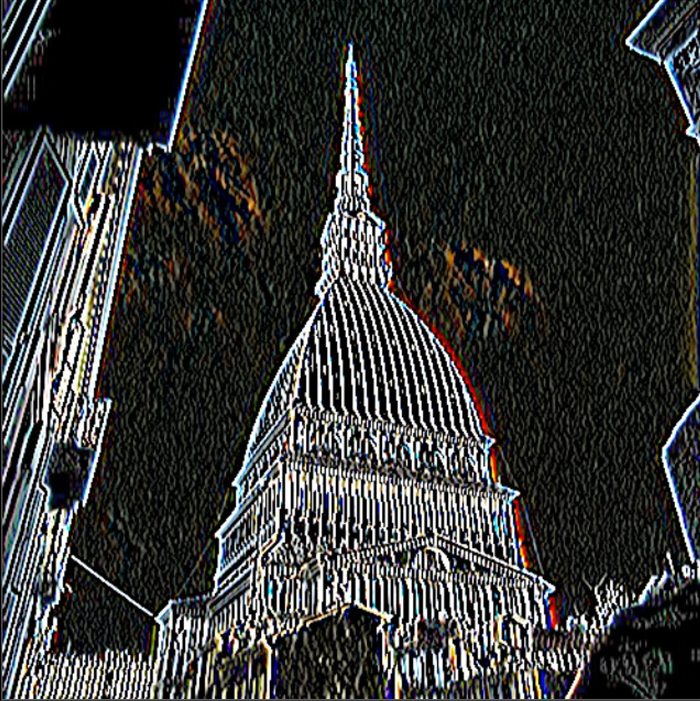
Left column against right column: it finds the vertical edges (where the image changes from left to right).
| 1 | 0 | -1 |
| 2 | 0 | -2 |
| 1 | 0 | -1 |
normalize: off
- 18. Left Sobel
The mirror of the right Sobel: the same vertical edges with the opposite sign.
| -1 | 0 | 1 |
| -2 | 0 | 2 |
| -1 | 0 | 1 |
normalize: off
All the edges at once. Run a horizontal and a vertical Sobel on the same image and combine them with an Expression node: sqrt(Gx² + Gy²) gives the strength of the edge in any direction. That's how a lot of edge-detection and rim-light tools work.
Roberts cross
- 19. Roberts cross
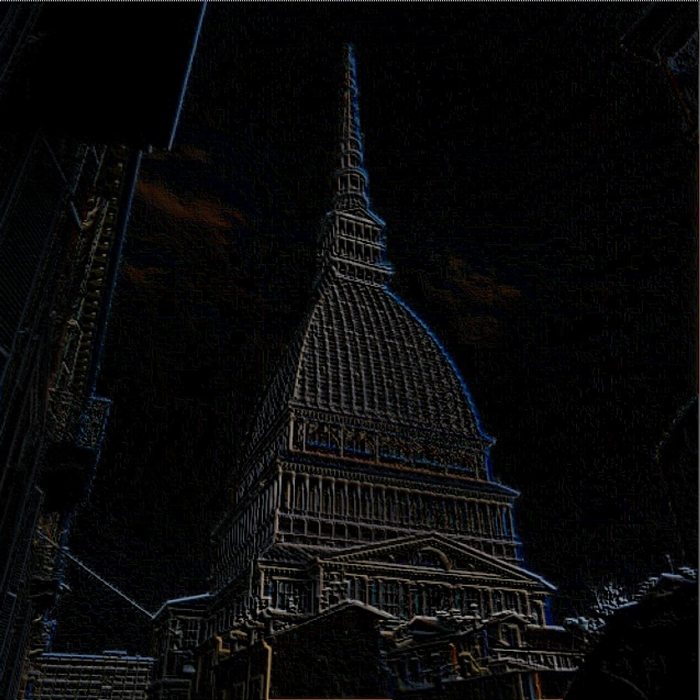
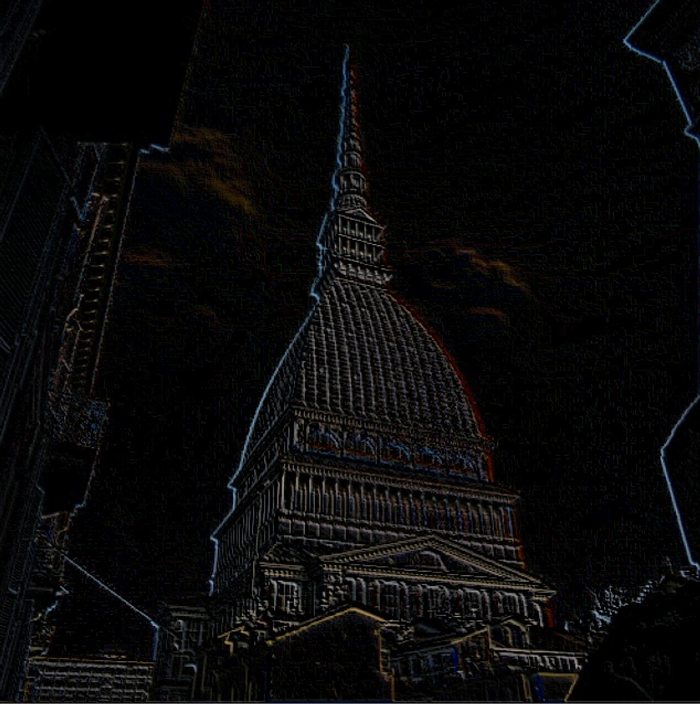
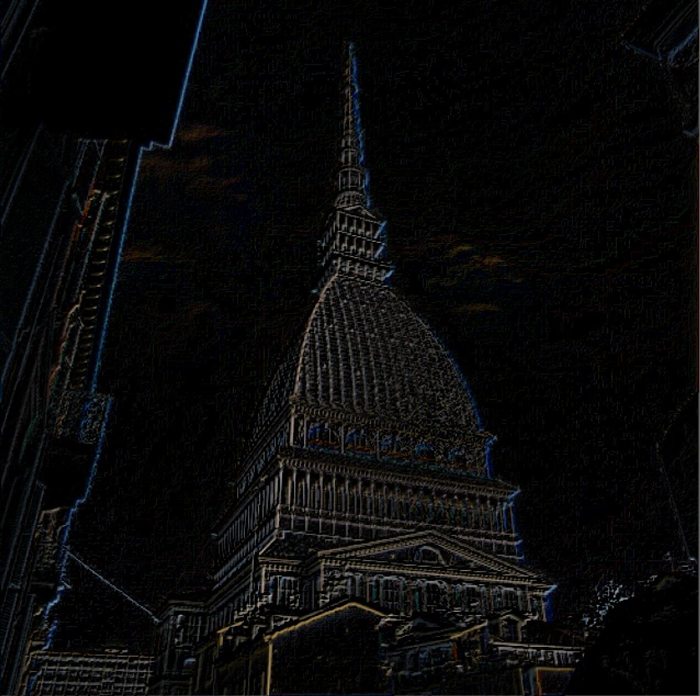
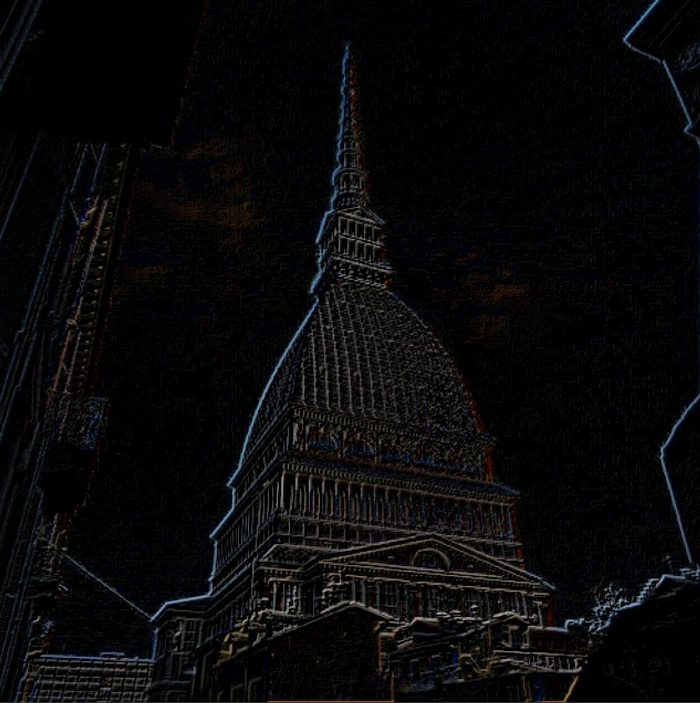
One of the oldest edge detectors: tiny 2x2 kernels that compare each pixel with its diagonal neighbour. Very fast and very sensitive to noise. Each kernel is the previous one rotated by 90°. In Nuke's 3x3 Matrix node, put the 2x2 in the bottom-right corner and leave zeros elsewhere (normalize off):
| 0 | 0 | 0 |
| 0 | 0 | 1 |
| 0 | -1 | 0 |
normalize: off
| 0 | 0 | 0 |
| 0 | 0 | -1 |
| 0 | 1 | 0 |
normalize: off
| 0 | 0 | 0 |
| 0 | -1 | 0 |
| 0 | 0 | 1 |
normalize: off
| 0 | 0 | 0 |
| 0 | 1 | 0 |
| 0 | 0 | -1 |
normalize: off
Bigger kernels
A 3x3 kernel only sees one pixel around. For bigger effects you can choose 5x5 or 7x7 in the Matrix node, or go all the way and use a whole image as the kernel with the Convolve node: that's how you get a real lens bokeh. And if you're wondering whether a blur can be undone… yes, sometimes. It's all in the next page of the series:
Convolve & Deconvolution Transform Matrix ColorMatrix 3D Matrices