Math in Nuke, the series: Merge & Premultiplication · The Grade Node · ColorCorrect · Saturation, Hue & HSV · Keying · Despill · Matching Colour & Light · Edge Extend · Lin, Log & Gamma · Filtering & Resampling · Edge Detection · Vectors · Trigonometry · Expressions & Curves
One small trick appears everywhere in compositing: in IBKColour, in every colour match gizmo, in edge extend tools, in clean plates and in my ColorDilate, IBKColorStack and VectorExtendEdge gizmos. Premultiply, blur, unpremultiply. It grows colour outwards from where you trust it into where you don't. This page explains why it works, why one blur is never enough, and how the stacked and directional versions fix that.
Useful Links
- IBKColour: how the clean plate is made (Keying page)
- Where to sample (Matching page)
- When alpha isn't between 0 and 1 (Merge page)
- Morphology: erode, dilate, median (this site)
- Wikipedia: normalized convolution
Index
- 01. The colour at the edge is wrong
- 02. Premult, blur, unpremult
- 03. The core: what you trust
- 04. One blur is never enough
- 05. The stack
- 06. Extending along a direction
- 07. Holes in the matte
- 08. Using it
- Edge Extend Lab (try it here)
- Nodes to paste in Nuke
01. The colour at the edge is wrong
At the edge of a keyed object a pixel is a mix: part subject, part screen. The key gives the right alpha, but the colour of that pixel still contains the screen. While the comp uses that same alpha, the over hides most of it. As soon as the alpha changes, it shows: erode the matte by a pixel, blur it, defocus or motion blur the element, and the screen-coloured edge pixels are suddenly more opaque than they should be.
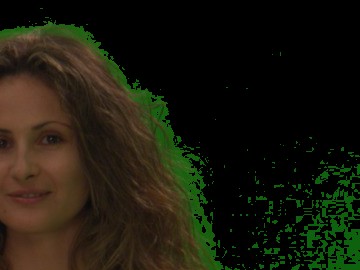
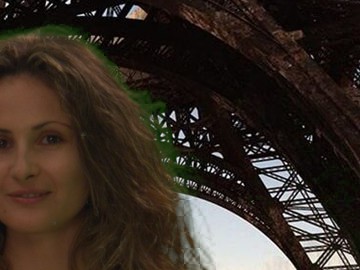
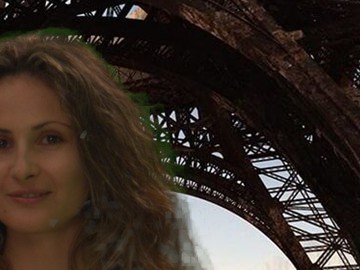
An edge extend replaces the colour outside the trusted area with the colour of the subject, continued outwards. Then any alpha can cut it without revealing the screen.
02. Premult, blur, unpremult
Take a matte m that is 1 where you trust the colour c. Multiply, blur both, divide:
extended = blur(c × m) / blur(m)
A blur is a weighted average of the neighbours. The numerator averages the colours, but only the trusted ones, because the others are multiplied by 0. The denominator is the total weight of the trusted pixels that took part. Their ratio is the average of the trusted colours nearby: inside the core it's (nearly) the original colour, outside it's the colour of the closest part of the core. The mathematicians call it a normalized convolution. In Nuke it's Premult, Blur, Unpremult, with the trusted matte in the alpha.
It's the same operation IBKColour uses to fill the hole left by the subject with the screen around it, and the one colour match tools use to average only the useful pixels: the role of the matte is just reversed.
03. The core: what you trust
m should be 1 only where the colour is pure subject: the inside of the key, usually alpha above 0.9 or so, shrunk a little. Where m is soft (0 < m < 1) the pixel contributes in proportion, so a soft core blends the edge colours in smoothly; where m is 0 the pixel is ignored completely.
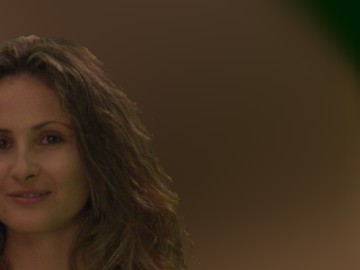
The core must be clean. Rendering the figures of this page, one stray pixel of noise with alpha above 0.9, near the right edge of the frame and far from the actress, became the only "subject" in its area: the extend painted its colour, a dark blue from the edge of the frame, across a big part of the screen. A garbage matte on the core fixed it. Every speck in the core is a source of colour.
04. One blur is never enough
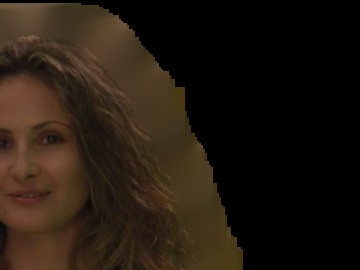
A blur of size s reaches about s pixels. Small, and the colour stops a short distance outside the edge; past it blur(m) is 0, the division has nothing to divide and the result is empty (black). Big, and it reaches far, but every pixel becomes the average of a wide area: next to the edge, where you need the detail of the hair, you get a smooth blob.
05. The stack
The fix is to do it several times with growing sizes and keep the finest result wherever it exists:
extended = fills over fill2s over fill4s over … over fill2Ns
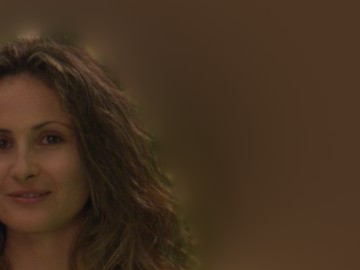
Each fill is the premult-blur-unpremult of a different size, with its own coverage blur(m) as alpha. Near the edge the small fills are opaque and win, so the detail survives; further out only the big ones have coverage, and they fill the rest. Doubling the size each time means that N levels reach 2N times the first size: 8 levels from a size of 2 already reach 512 pixels, at the cost of 8 blurs. That's the idea behind my IBKColorStack (each IBKColour with twice the patch black of the previous one, from 2 to 256) and the iterations of ColorDilate, where you can also choose a linear or exponential distribution of the sizes.
06. Extending along a direction
Blurs spread colour in every direction and average it. Hair and fur have a direction, and a better extension follows it. The gradient of the matte, ∇m, points from outside to inside at every edge pixel; normalised it's a unit vector field perpendicular to the edge:
direction = −∇m / |∇m| (pointing outwards)
Feed those vectors to a VectorBlur and it smears the edge colours outwards along straight lines instead of averaging them: strands stay strands. My VectorExtendEdge does exactly that, in slices: blur the matte a little, compute the vectors, extend by a short length, repeat. Short steps repeated many times follow curved edges better than one long smear.
07. Holes in the matte
The same family of problems exists for the alpha itself: holes in a key (a pupil, a green logo on a shirt) and specks in the screen. Those are morphology, not colour: a closing (dilate, then erode by the same amount) fills holes smaller than the size and gives back the outline, an opening (erode, then dilate) removes specks. My FillHoles gizmo is a closing, with a choice between the hard Erode and the soft FilterErode, then a clamp. More on the Morphology page.
08. Using it
The workflow: key, build the core from the key, extend the colour of the unpremultiplied plate from the core, then premultiply the extended colour by whatever alpha the comp needs.
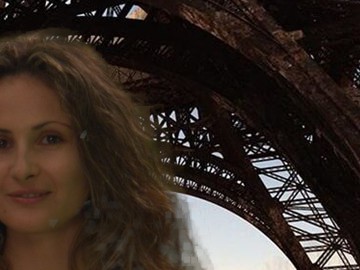
The same extended colour is what you want under a defocus or a motion blur of the element (so the blurred edge doesn't pick up the screen), under a soft or eroded core matte, and before a retime. Two cautions: the extended area must never be seen through a wrong alpha, because it is invented colour; and on the finest hair the extension replaces real, partly transparent detail with the colour of the core, which is why the core-and-edge approach (Keying page) keeps the original edge colour where the edge key is good and uses the extension only where it isn't.
Edge Extend Lab
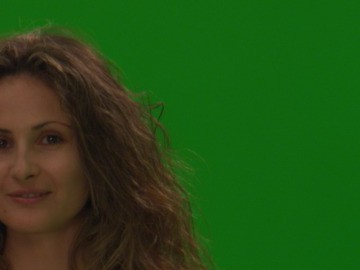
The green hair plate keyed with IBK. Choose how to extend the colour, then look at the colour itself or at the comp with an eroded alpha, the case where the fringe shows. Drag to compare with the plate colour.
Loading…
The Lab blurs with three box blurs and keys with the IBK formula of the Keying page, with a garbage matte on the right side of the set. The node below follows the same logic in Nuke, with real Gaussian blurs.
Nodes to paste in Nuke
Click a box, copy it (Ctrl+C / Cmd+C) and paste it in Nuke's Node Graph (Ctrl+V / Cmd+V).
Premult, blur, unpremult. The basic extend of chapter 02 in three nodes: put the core matte in the alpha before them.
EdgeExtendStack. My node from chapter 05: core from the alpha of the input, first blur size, number of levels, each twice the previous, finest on top. Feed an unpremultiplied image with its key.
The math series
The other pages about maths in Nuke:
Merge & Premultiplication
The Grade Node
ColorCorrect
Saturation, Hue & HSV
Keying
Despill
Matching Colour & Light
Lin, Log & Gamma
Filtering & Resampling
Edge Detection
Vectors
Trigonometry
Expressions & Curves
And if you like this, have a look at the Matrices in Nuke series.