Math in Nuke, the series: Merge & Premultiplication · The Grade Node · ColorCorrect · Saturation, Hue & HSV · Keying · Despill · Matching Colour & Light · Edge Extend · Lin, Log & Gamma · Filtering & Resampling · Edge Detection · Vectors · Trigonometry · Expressions & Curves
A key tells you how much of a pixel is foreground. Despill fixes its colour: the green (or blue) that the screen left on the subject. This page goes through the maths of every despill I know, from the one-line Expression to the screen subtraction inside IBK and Keylight. As on the Keying page, what the Nuke nodes do was measured in Nuke 17, and every Expression you can copy was tested there.
Useful Links
- Ben McEwan: Deconstructing Despill Algorithms
- Tony Lyons, Compositing Mentor: Despill techniques
- Tony Lyons, Compositing Mentor: Despill initial concepts
- Steve Wright: Digital Compositing for Film and Video (chapter on spill suppression)
- ActionVFX: Beginner tips for keying in Nuke, part 2
- Natron's Despill node (spillmap mix)
- Nukepedia: spillSoup
Index
- 01. Two kinds of green
- 02. The limit despill
- 03. Choosing the limit
- 04. Blue screens
- 05. The spill map and the lost luminance
- 06. Despill to a colour, not to grey
- 07. Screen subtraction
- 08. What the keyers do
- 09. Workflow
- Despill Lab (try it on real plates)
- Nodes to paste in Nuke
01. Two kinds of green
A green screen leaves green on the subject in two different ways, and they need different fixes.
- Transparency. On a fine hair or a motion blurred edge, part of the pixel is the screen. That green belongs to the background and the key should take it away: it's the (1 − α) part of the pixel.
- Spill. Light bouncing off the screen onto the subject: the green rim on a shoulder, a green cast on blonde hair, a green reflection in glasses. Those pixels are fully opaque, the key can't do anything about them. That's what despill is for.
In practice they mix on every edge, which is why the order matters: key first, then despill the plate the key will cut out.
02. The limit despill
The classic despill is one line: green is not allowed to be higher than a limit made from red and blue.
g' = min(g, L(r, b)) or, the same thing: g' = g > L ? L : g
The idea is that in nature a colour is rarely much greener than both its red and its blue, so any green above the limit is suspicious and gets cut. Only green changes: red and blue stay where they were. It's the Expression Foundry itself suggests in its docs, g>(r+b)/2?(r+b)/2:g, and it's also exactly what the g_sup curve of HueCorrect does (I measured it): with g_sup at 0, g = min(g, min(r, b)); in between, g = L + g_sup × (g − L). The HueCorrect version lets you choose a different strength for every hue.
03. Choosing the limit
Everything depends on L. Ben McEwan lists five in his article on despill algorithms; with min and max they make a family that goes from "removes everything" to "barely touches":
| limit | L = | strength |
|---|---|---|
| blue limit | b | depends on the colour |
| min | min(r, b) | strongest |
| double blue average | (r + 2b) / 3 | |
| average | (r + b) / 2 | the usual default |
| double red average | (2r + b) / 3 | |
| red limit | r | depends on the colour |
| max | max(r, b) | weakest |
Here is what they do to three colours that have more green than blue, so all of them get touched by something (linear values):
| colour | min | average | max |
|---|---|---|---|
| skin (0.45, 0.30, 0.22) | g 0.22: pink | untouched | untouched |
| blonde, yellow (0.60, 0.55, 0.10) | g 0.10: red | g 0.35: orange | untouched |
| green spill on grey (0.30, 0.40, 0.30) | g 0.30: fixed | g 0.30: fixed | g 0.30: fixed |
That's the whole dilemma. A colour with spill and a yellow both have "too much green", and the despill can't tell them apart: it only sees numbers. min cleans every edge and ruins yellows and skin; max is safe on yellows but leaves the spill on anything that has more red than green. The average is the compromise most people start from. The weighted limits are the fine tuning: double red average protects reds and skin a bit more, double blue average cleans more. The red and blue limits, as Ben McEwan notes, are the darkest and the most colour-shifting, and they usually need the luminance back (chapter 05).
On the real plate, comped over a new background with the same key:
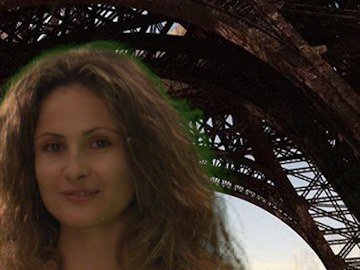
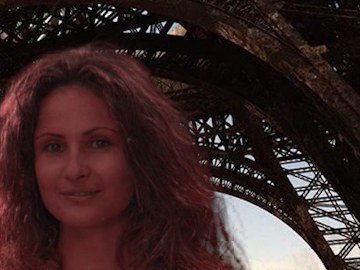
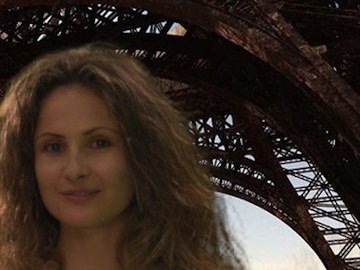
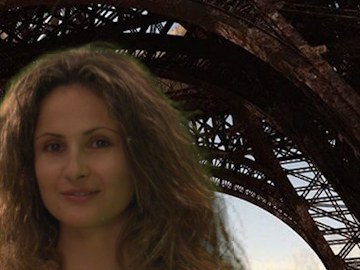
Brown hair and skin are mostly red with some green: min(r, b) compares green with the blue, which is low, and cuts too much.
04. Blue screens
Swap the channels: blue is limited by a mix of red and green.
b' = min(b, L(r, g)) e.g. b > (r + g)/2 ? (r + g)/2 : b
Blue carries only 7% of the luminance (0.0721), so a blue despill darkens much less than a green one, but it shifts colours a lot: white shirts and skies are "too blue" too. For the double average on a blue screen, Ben McEwan suggests doubling green instead of blue: L = (r + 2g) / 3.
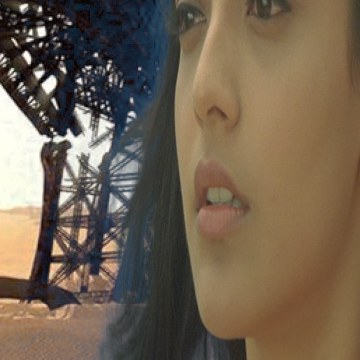
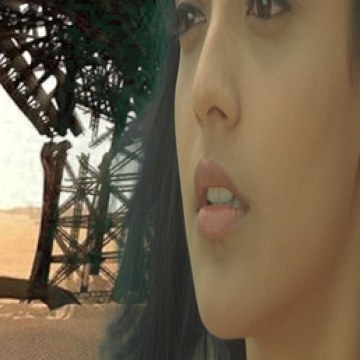
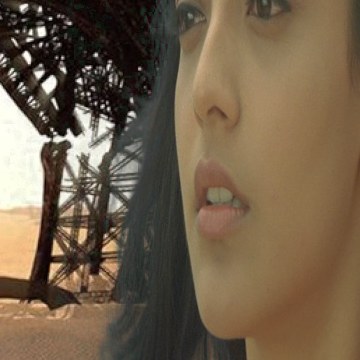
A surprise worth knowing: this blue screen is (0.02, 0.14, 0.33), so it has a lot of green in it. Limiting only the blue removes half of the spill and leaves the green half, and the fringe becomes teal. Screen subtraction removes the screen colour as a whole and doesn't have this problem (chapter 07).
05. The spill map and the lost luminance
What the despill removes is a number per pixel, the spill map:
spill = max(0, g − L)
View it (there's a node at the bottom of the page that puts it in the alpha) and you see exactly where and how much the despill acts: it's the best way to check that it isn't eating something it shouldn't. Removing green also removes light, and green is 71.54% of the luminance: the despilled edges get darker. To put that light back as neutral grey, add the luminance of what you removed to all three channels:
out = despilled + 0.7154 × spill (on r, g and b)
This is the maths of the node setup in Ben McEwan's article: a Merge (difference) between the plate and the despill isolates what was removed, a Saturation at 0 turns it into grey, and a Merge (plus) adds it back. Since only green changed, the difference is (0, spill, 0) and the Saturation node turns it into 0.7154 × spill in every channel: the one-line formula above. With it, the brightness of the plate is exactly preserved, only the colour moves towards grey.
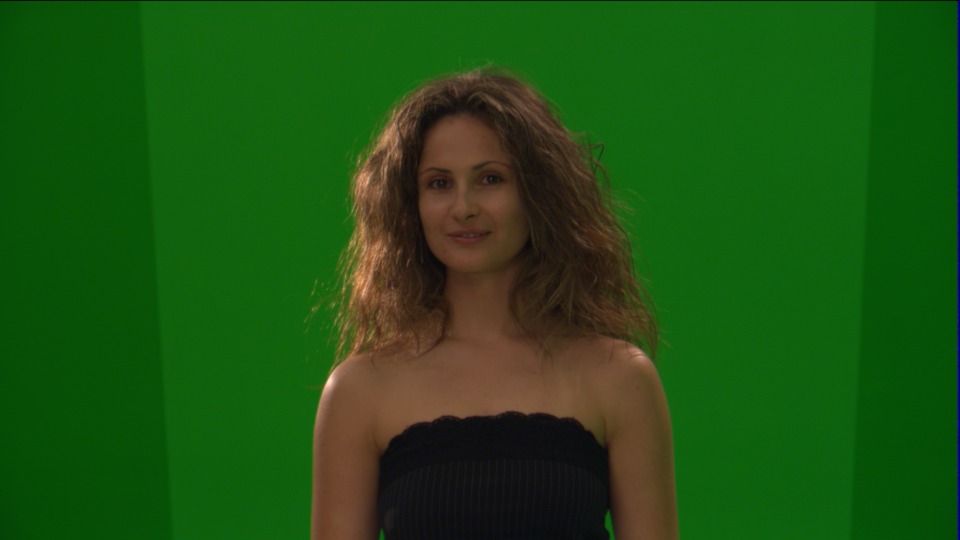
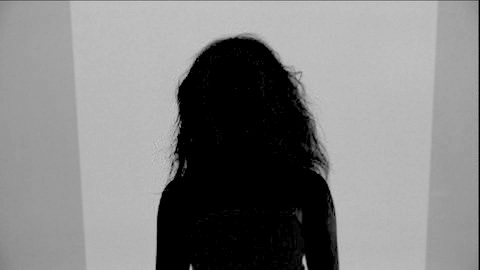
The screen is all spill, of course: the despill turns it grey, and the key removes it anyway. What matters is the edge of the hair and the skin: here they are dark, the average limit leaves them almost untouched.
06. Despill to a colour, not to grey
Grey is a neutral guess. The light that should be on those edges is the light of the new background, which is the point Tony Lyons makes in his despill breakdown: move away from grey despills, towards the background or the subject. Instead of adding the lost luminance as grey, add it tinted with a heavily blurred background:
out = despilled + 0.7154 × spill × bgblur / Y(bgblur)
Dividing by the luminance of the background keeps the amount of light the same as the grey version; only its colour changes. Against a warm sunset the edges get warm, against a blue sky they get blue. It's the same idea as the despill bias of Keylight, done by hand and per pixel.
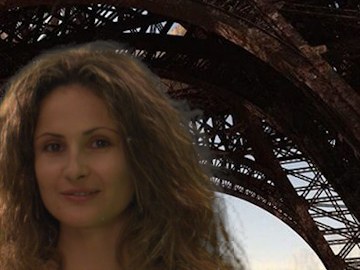
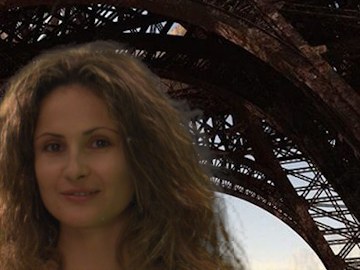
Look at the edge of the hair against the sky: grey makes it lighter, the background version makes it lighter and warmer, like the light of that desert.
07. Screen subtraction
The limit despill guesses. Screen subtraction doesn't: if the key says the pixel is 30% screen, it removes 30% of the screen colour, nothing more.
out = plate − (1 − α) × screen
The screen can be one picked colour or, much better, a clean plate. The result is already premultiplied (the screen part is gone, what's left is fg × α), so you merge it over the background as it is, without another Premult. This is the additive way of compositing, and it's what IBK and Keylight do inside (next chapter). It keeps the real colours of the subject, blonde hair stays blonde, because it never compares green with red and blue. Its weakness is that it's only as good as the alpha: where the key is too solid, nothing is subtracted; where it's too transparent, too much is.
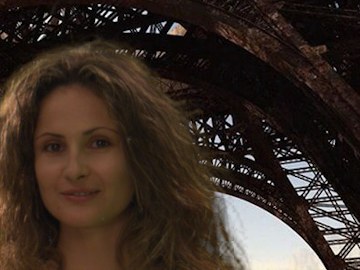
Very close here; the subtraction keeps a little more of the real warm colour in the hair, because it never compares green with red and blue.
08. What the keyers do
| node | despill |
|---|---|
| Keyer, Difference, HueKeyer | none: they only make the alpha |
| IBKGizmo | screen subtraction, measured: max(0, fg − t × C), with C the picked colour or the IBKColour plate |
| Keylight | the same subtraction, measured; the despill bias divides plate and screen by a colour before it, so a skin tone picked as bias stays skin |
| ChromaKeyer | like Keylight, then multiplied by the alpha when preMultiply is on |
| HueCorrect | the limit despill with L = min, strength per hue (r_sup, g_sup, b_sup) |
| Primatte | spill removal on the colours between the inner polyhedra, with complement or replace colour |
| Ultimatte | automatic, then spill controls for cool, warm, darks, midtones and brights |
More details and the measurements are on the Keying page.
09. Workflow
- Despill the plate before you premultiply with the key, never the comp: after the merge, the despill would also hit the background.
- Core and edge. A strong despill on the edges and a gentle one (or none) inside, mixed with a soft edge matte: the inside of the subject has much less spill and much more colour to lose.
- Check the spill map, and check the comp with the saturation pushed up: leftover green jumps out.
- Give the light back, as grey or better as the background colour (chapters 05 and 06). Despill without it always looks dull at the edges.
- Blue screens need less luminance repair and more colour care (chapter 04).
Despill Lab
The same four plates, comped over a new background with a soft IBK-style key, so you can judge only the despill. Choose a limit or screen subtraction, the amount, and how to give back the light. spill shows the spill map (four times brighter), plate the despilled plate without the comp. Hover to read the numbers, drag to compare with the untouched plate. The box writes the Expression.
Hover the image
The "Green, glasses" plate is a frame of Tears of Steel, (CC) Blender Foundation | mango.blender.org.
Nodes to paste in Nuke
Click a box, copy it (Ctrl+C / Cmd+C) and paste it in Nuke's Node Graph (Ctrl+V / Cmd+V).
Green despill with every limit. limit 0 = min, 1 = average, 2 = max, 3 = weighted with the red weight (2/3 is the double red average, 1/3 the double blue average, 1 and 0 the red and blue limits). Amount, and the lost luminance given back as grey.
Blue despill. The same for blue screens: blue limited by red and green.
Spill map. Puts max(0, g − (r + b)/2) in the alpha, to see where the despill acts.
Screen subtraction. B: the plate with the key in the alpha, A: the clean plate (or a Constant with the screen colour). The output is premultiplied: merge it over the background directly.
The math series
The other pages about maths in Nuke:
Merge & Premultiplication
The Grade Node
ColorCorrect
Saturation, Hue & HSV
Keying
Matching Colour & Light
Edge Extend
Lin, Log & Gamma
Filtering & Resampling
Edge Detection
Vectors
Trigonometry
Expressions & Curves
And if you like this, have a look at the Matrices in Nuke series.