Math in Nuke, the series: Merge & Premultiplication · The Grade Node · ColorCorrect · Saturation, Hue & HSV · Keying · Despill · Matching Colour & Light · Edge Extend · Lin, Log & Gamma · Filtering & Resampling · Edge Detection · Vectors · Trigonometry · Expressions & Curves
Every comp is a long list of Merges, and every Merge is a tiny formula applied to each pixel. Knowing the formulas is what makes you understand why a glow should be plus and not over, why mattes are combined with max, and above all why your CG has a dark or bright edge when you grade it. That last one has a name: premultiplication.
Useful Links
- https://learn.foundry.com/nuke/content/comp_environment/merging/merge_operations.html
- https://learn.foundry.com/nuke/content/reference_guide/merge_nodes/merge.html
- Alvy Ray Smith: Image Compositing Fundamentals (PDF)
- https://limnu.com/premultiplied-alpha-primer-artists/
- https://www.pixelsham.com/?p=16746
- https://lesterbanks.com/2013/05/understanding-premultiply-and-unmultiply-when-compositing-in-nuke/
- https://en.wikipedia.org/wiki/Alpha_compositing
Index
- 01. The over formula
- 02. What premultiplied means
- 03. Grading a premultiplied image
- 04. When alpha isn't between 0 and 1
- 05. Plus, screen, multiply
- 06. Mattes: max, min, in, out
- 07. The full table
- Merge Lab (try it here)
- Nodes to paste in Nuke
01. The over formula
In Nuke, A is the foreground, B the background, and lower case a and b are their alphas. The default operation is:
over = A + B × (1 − a)
Read it like this: take all of A, then add the part of B that A doesn't cover. Where a = 1, B disappears; where a = 0, you see only B; on a soft edge with a = 0.5, half of B comes through. Notice what's missing: A is not multiplied by a. The formula takes for granted that A has already been multiplied by its alpha. That's the whole story of premultiplication.
02. What premultiplied means
A premultiplied image has its colour already multiplied by its alpha: outside the object the colour is 0, on a 50% edge the colour is half. Renders come out like that because a renderer builds the picture by covering the background, pixel by pixel. An unpremultiplied (straight) image keeps the full colour everywhere and leaves the transparency only in the alpha.
premultiplied colour = straight colour × alpha
Unpremult: colour ÷ alpha Premult: colour × alpha
The rule of thumb: Merge wants premultiplied images (except the matte operation, which does the multiplication itself), colour corrections want unpremultiplied ones. A quick test: a premultiplied image never has colour brighter than its alpha, unless it's an additive element like a glow or a fire, which can be bright with no alpha at all.
03. Grading a premultiplied image
Multiply-type corrections (gain, multiply, a ColorMatrix) are safe on a premultiplied image: multiplying before or after the alpha gives the same result. Everything else isn't. An offset or a lift adds colour where the alpha is 0, so the whole background gets the grade; a gamma or a saturation treats the half-transparent edge pixels as if they were dark colours and changes them more than the core: dark or bright fringes.
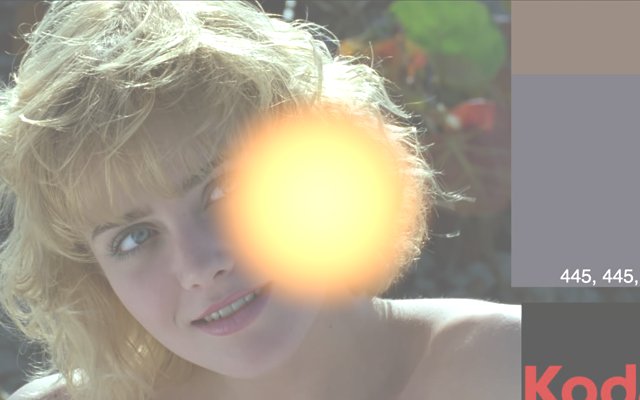
The fix is the sandwich: Unpremult, grade, Premult. Or tick (un)premult by: rgba.alpha in the colour node, which does the same thing inside the node. Just don't do both, or you'll divide twice.
04. When alpha isn't between 0 and 1
Everything above works because the alpha means "how much of the pixel is covered", a number from 0 to 1. Inside that range premultiplying and unpremultiplying are perfect inverses, and over is a weighted average. The trouble starts when the alpha leaves the range, and it does more often than you'd think:
- sharp filters: a Transform with Keys, Rifman, Lanczos or sinc4 overshoots on the edges of the alpha. Moving a hard alpha edge by half a pixel, I measured −0.06…1.06 with Keys, ±0.125 with Rifman and −0.21…1.21 with sinc4 (see ringing);
- sharpen kernels and convolutions with negative weights on the alpha;
- colour nodes on all channels: a Grade or a ColorCorrect with channels set to rgba also grades the alpha;
- plus and other additive merges: two alphas of 1 make an alpha of 2;
- keys without a clamp, and some CG passes.
I measured what Nuke 17 does with these alphas. The good news: the core nodes protect themselves.
| alpha | Unpremult | Premult | Merge over (B weight) |
|---|---|---|---|
| 0.5 | colour ÷ 0.5 | colour × 0.5 | 0.5 |
| 0.001 | colour ÷ 0.001 = ×1000 | colour × 0.001 | 0.999 |
| 0 | colour unchanged | 0 | 1 |
| 1.3 | colour unchanged | colour × 1 (not 1.3) | 0 (not −0.3) |
| −0.2 | colour unchanged | 0 (not negative) | 1 (not 1.2) |
So where is the problem? Four places.
1. The tiny alphas. Between 0 and 1 Nuke divides, as it should, and 1 / 0.001 is a thousand. The faint noise at the edge of a key, the last pixels of a blur or of a motion blur, turn into colours of hundreds. A Premult afterwards would bring them back, if everything in between were linear; but a clamp, a gamma, a colourspace conversion, a blur or a despill in between turns those huge numbers into fireflies and dark specks along the edges.
2. The alpha travels on. Nuke clamps the alpha when it uses it as a weight (over, Keymix and Dissolve all behave as if it were between 0 and 1), but the alpha that comes out is still 1.3 or −0.2, or 2.3 after a plus. It goes into the next merge, into the EXR, into another application that may not clamp at all.
3. Hand-made maths doesn't clamp. An Expression or a MergeExpression with A + B × (1 − a) does exactly what it says: with an alpha of 1.3 it subtracts 30% of the background, a dark halo; with −0.2 it adds 20% too much, a bright one.
4. Colour brighter than alpha. A premultiplied pixel with colour 0.4 and alpha 0 (a glow, a fire, a reflection) is legal and adds light in an over, but it has no straight colour: Unpremult can't divide by 0 and leaves it as it is, so a sandwich grade treats it differently from the rest.
The habits that follow: clamp the alpha (and only the alpha) after anything that can push it out of range, a Clamp with channels set to alpha, or the white clamp of my AntiAliasingFilter, which exists exactly for this; use cubic for transforms of mattes; keep colour nodes on rgb, not rgba; and never trust an unpremult where the alpha is almost 0. Note that the clamp checkbox of Transform only removes the values below 0: with sinc4 the alpha still reached 1.21. There's a node at the bottom of the page that paints red every alpha above 1, blue every alpha below 0 and yellow the tiny ones.
05. Plus, screen, multiply
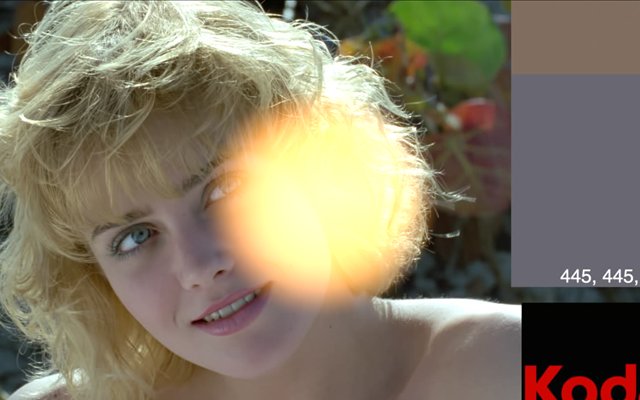
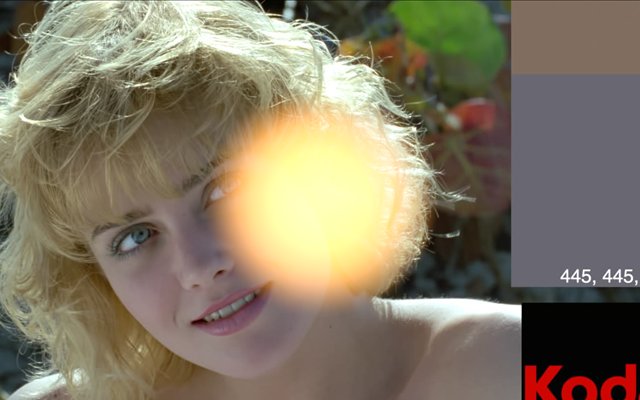
- plus is how light works: two lights on the same spot add up. It's the right choice for glows, flares, fire, reflections and render passes (diffuse + specular + ...), and it happily goes above 1.
- screen is a plus that never goes above 1 when both inputs are below 1: softer, less "physical". Nuke's version switches to max when a value is above 1. Great for mattes, less for linear light.
- multiply darkens: shadows, dirt, a smoke shot on white, an ambient occlusion pass. White (1) changes nothing, black (0) gives black.
- hypot (√(A² + B²)) sits between plus and screen, and works above 1: a nice alternative for reflections.
06. Mattes: max, min, in, out
- max: the union of two mattes (never use plus: overlaps go above 1).
- min: the intersection.
- in (A·b): A only where B's alpha is; out (A·(1−b)): A only where B's alpha is not.
- mask and stencil are the same two the other way round (B by A's alpha).
- difference (|A − B|): what changed between two images. A quick difference key, and the best way to check if two renders are really identical.
disjoint-over and conjoint-over. If two elements were rendered with each other held out (hair, skin and clothes of the same character), a normal over holds the background out twice and draws thin dark lines where they touch. disjoint-over assumes they don't overlap and fixes it. conjoint-over is for the opposite case, when A completely hides B where they share an edge.
07. The full table
The formulas of the Merge node, from the Foundry documentation (A and B the colours, a and b the alphas):
| operation | formula | operation | formula |
|---|---|---|---|
| over | A + B(1−a) | under | A(1−b) + B |
| plus | A + B | minus | A − B |
| from | B − A | multiply | AB |
| screen | A + B − AB | divide | A / B |
| max | max(A, B) | min | min(A, B) |
| difference | |A − B| | exclusion | A + B − 2AB |
| average | (A + B) / 2 | hypot | √(A² + B²) |
| in | Ab | out | A(1−b) |
| mask | Ba | stencil | B(1−a) |
| atop | Ab + B(1−a) | xor | A(1−b) + B(1−a) |
| matte | Aa + B(1−a) | geometric | 2AB / (A + B) |
Merge Lab
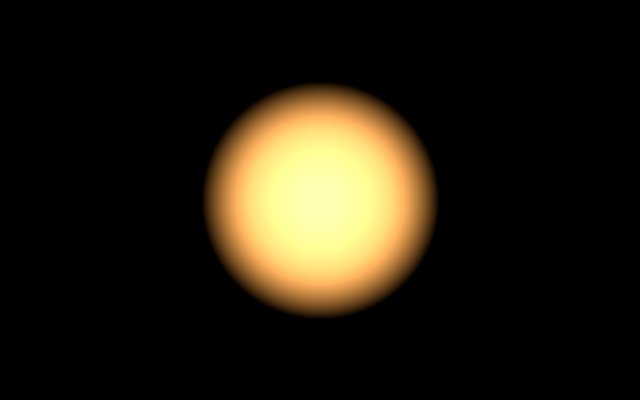
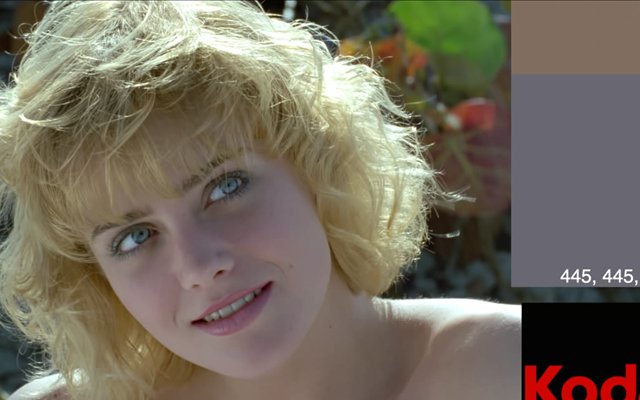
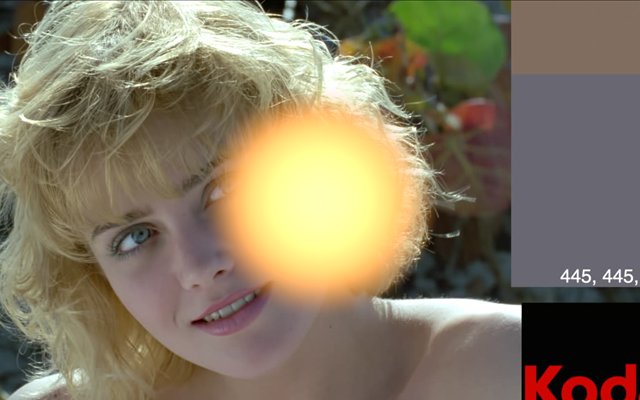
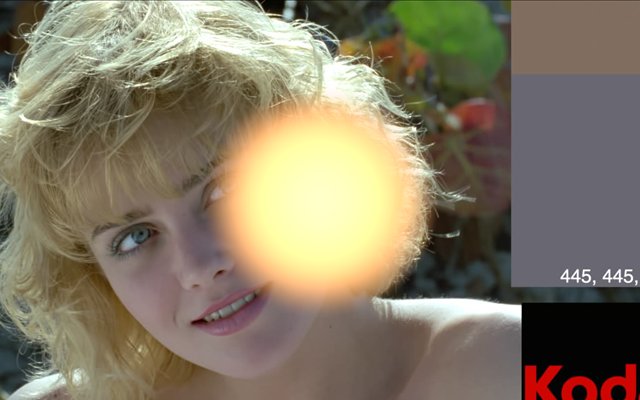
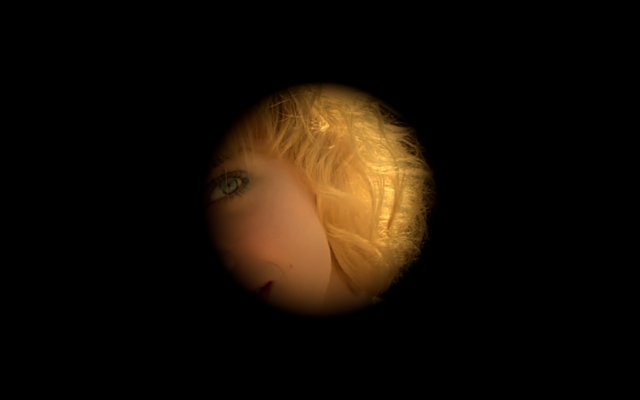
The glow (A) on the plate (B). Pick an operation and drag on the image to compare with the plate. Then add an offset to the glow, with and without the unpremult sandwich.
Nodes to paste in Nuke
Click a box, copy it (Ctrl+C / Cmd+C) and paste it in Nuke's Node Graph (Ctrl+V / Cmd+V).
The sandwich. Unpremult, a Grade to set, Premult: the safe way to colour correct CG and keyed elements.
Premult check. Turns red every pixel whose colour is brighter than its alpha: on a normal element that means it isn't premultiplied (glows and fire are allowed to be red).
Alpha check. Paints red every pixel with alpha above 1, blue below 0, yellow between 0 and 0.01: the pixels of chapter 04.
Clamp the alpha only. A Clamp on the alpha channel, between 0 and 1: put it after sharp filters, sharpen kernels and plus merges.
Glow merge. A Merge in plus, labelled, for light elements.
The math series
The other pages about maths in Nuke:
The Grade Node
ColorCorrect
Saturation, Hue & HSV
Keying
Despill
Matching Colour & Light
Edge Extend
Lin, Log & Gamma
Filtering & Resampling
Edge Detection
Vectors
Trigonometry
Expressions & Curves
And if you like this, have a look at the Matrices in Nuke series.