

CorridorKey 2.0 is an open-source neural keyer for green and blue screens, made by Corridor Digital: the model was designed and trained by Zachary Harris together with Niko and the Corridor team. Its code and weights are public. I packaged them as a Nuke node, so you can key a plate without leaving your comp: the model runs on your own GPU, nothing is uploaded anywhere, and the result comes back into the script as a normal image.
Unofficial integration. This is a completely free plugin, built on the public CorridorKey 2.0 model from GitHub. It is not made, affiliated with or endorsed by Corridor Digital: the model and the CorridorKey name are theirs. So if you want to buy someone a coffee, buy it for Corridor Crew! The best way is their official plugin, with their support, on corridorkey.com.
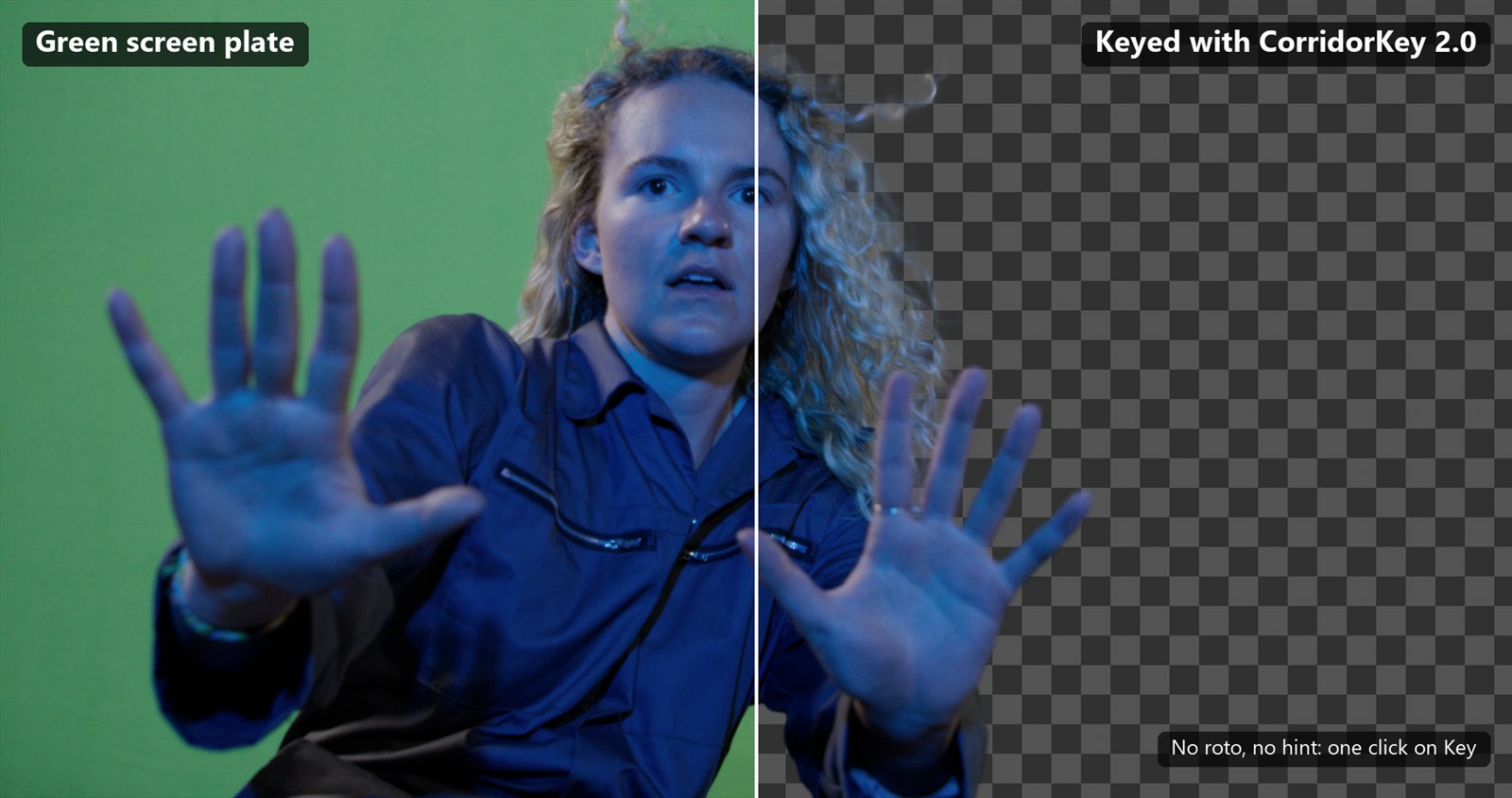
CorridorKey 2.0 for Nuke
A 450 KB zip. It does not contain the model: the installer downloads PyTorch and the weights from the official sources.
Completely free, built on the public model from GitHub. Want to buy someone a coffee? Buy it for Corridor Crew, with their official plugin!
Which system is Nuke on?
macOS is not supported: CorridorKey 2.0 needs CUDA, which Macs do not have.
From Corridor Crew The keyer explained by the people who made it:
 CorridorKey 2.0: I Solved Green Screen, and I'm Giving it to YOU! (Corridor Crew)
 It Took Me 30 Years to Solve this VFX Problem (Corridor Crew)
 I accidentally started a green screen revolution... (Corridor Crew)
Index
- 01. What the node does
- 02. Results on green and blue screen
- 03. Requirements, and a check for your PC
- 04. How to install it
- 05. Quick start
- 06. Measured speed
- 07. Common problems
- 08. Licence, credits and disclaimer
- 09. Links
01. What the node does
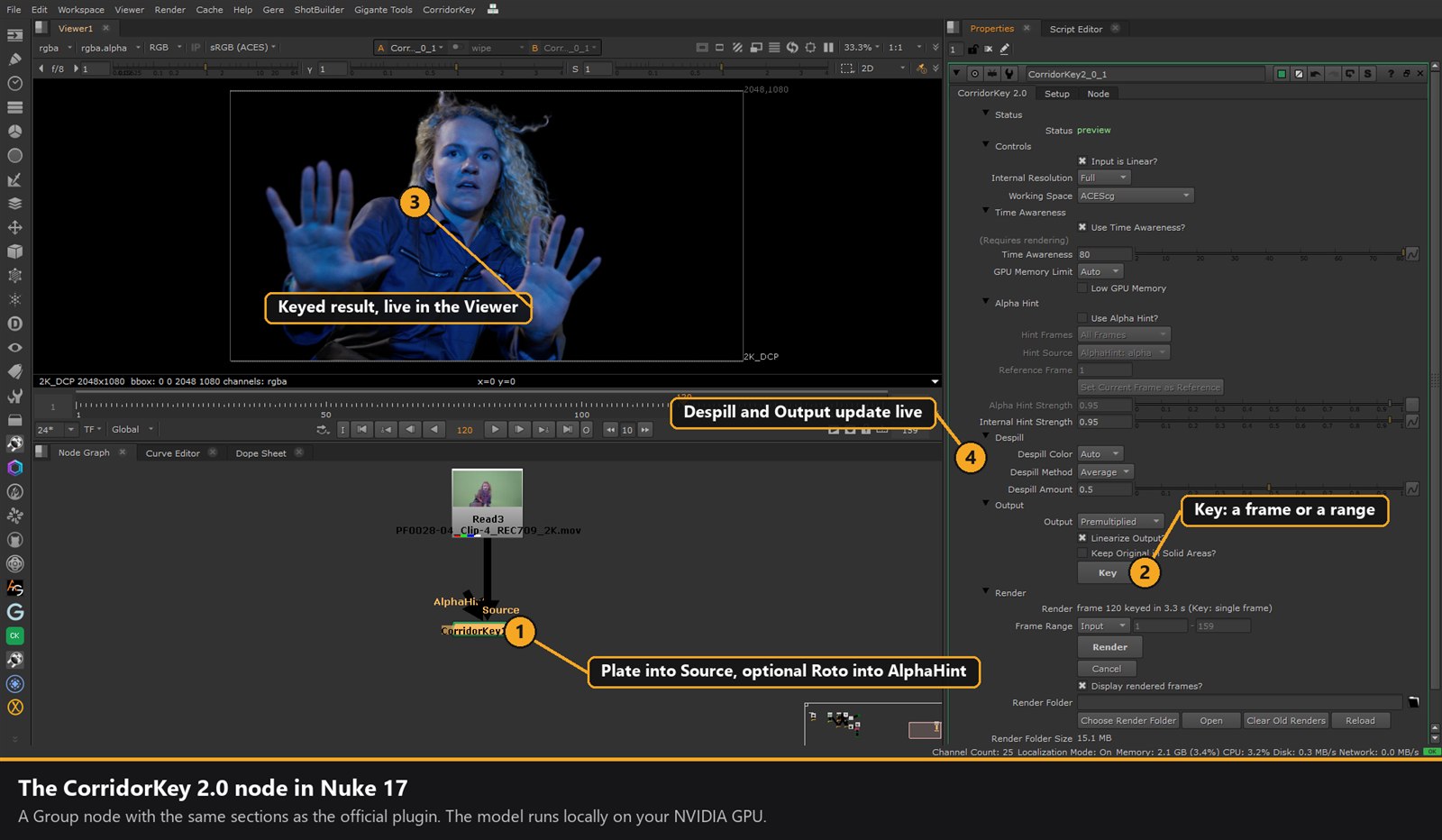
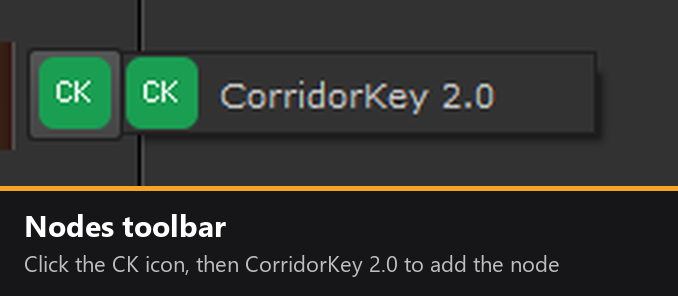
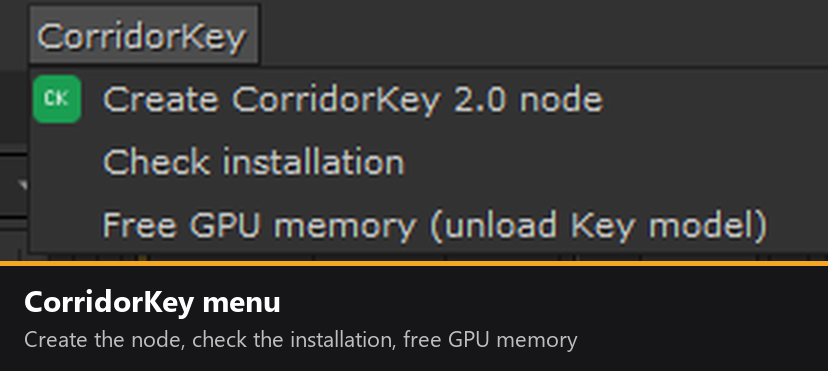
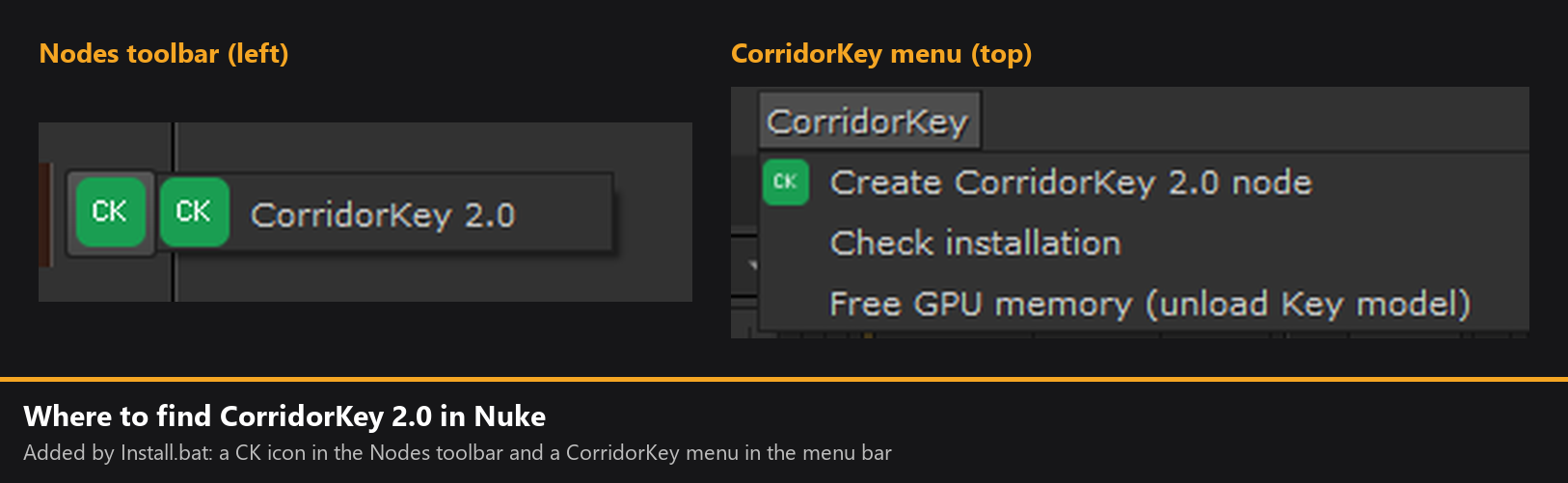
One node, CorridorKey 2.0, in the node toolbar (the green CK icon) and in the CorridorKey menu. It has two inputs: Source, the plate, and AlphaHint, an optional black and white Roto that tells the model what to keep.
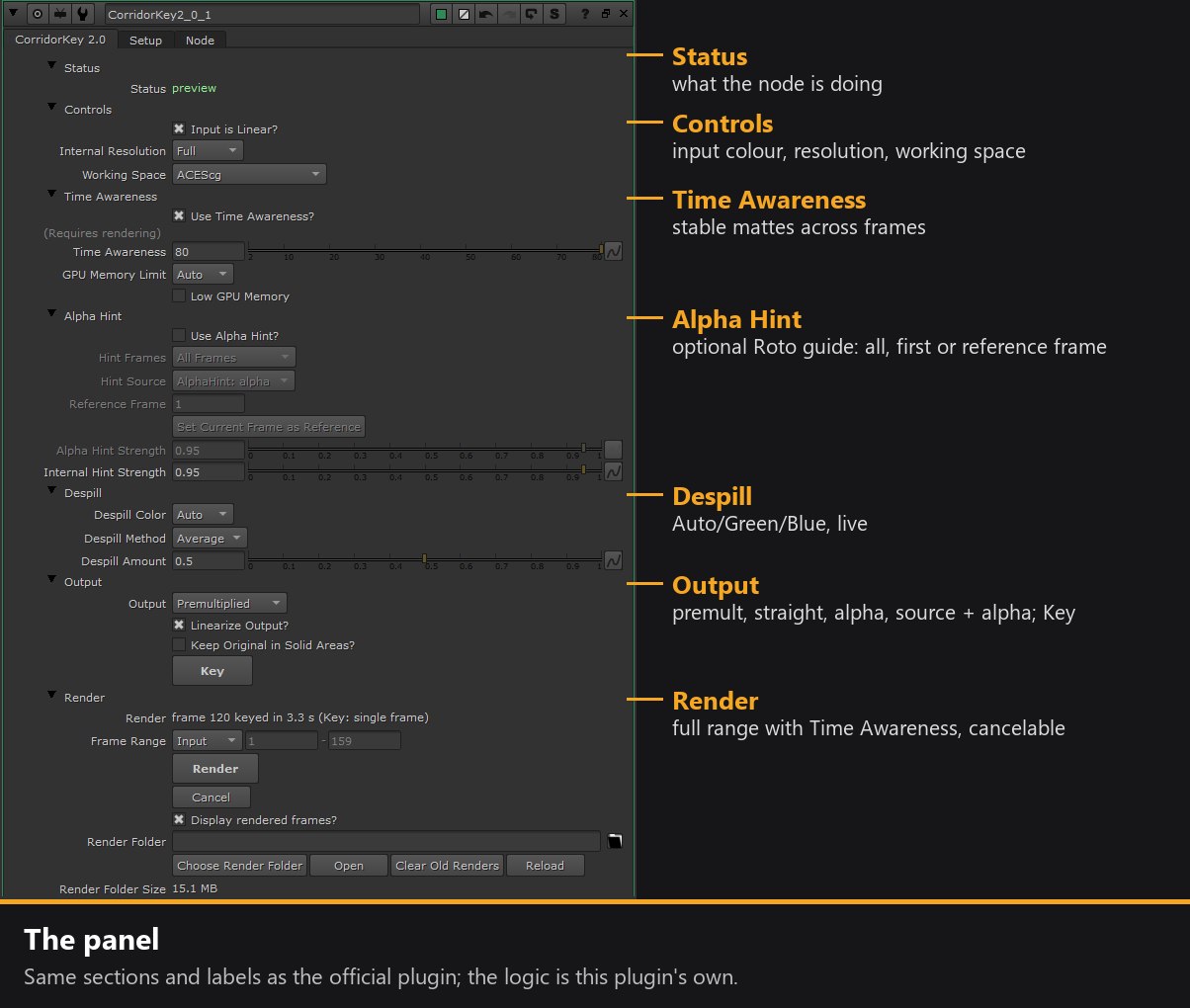
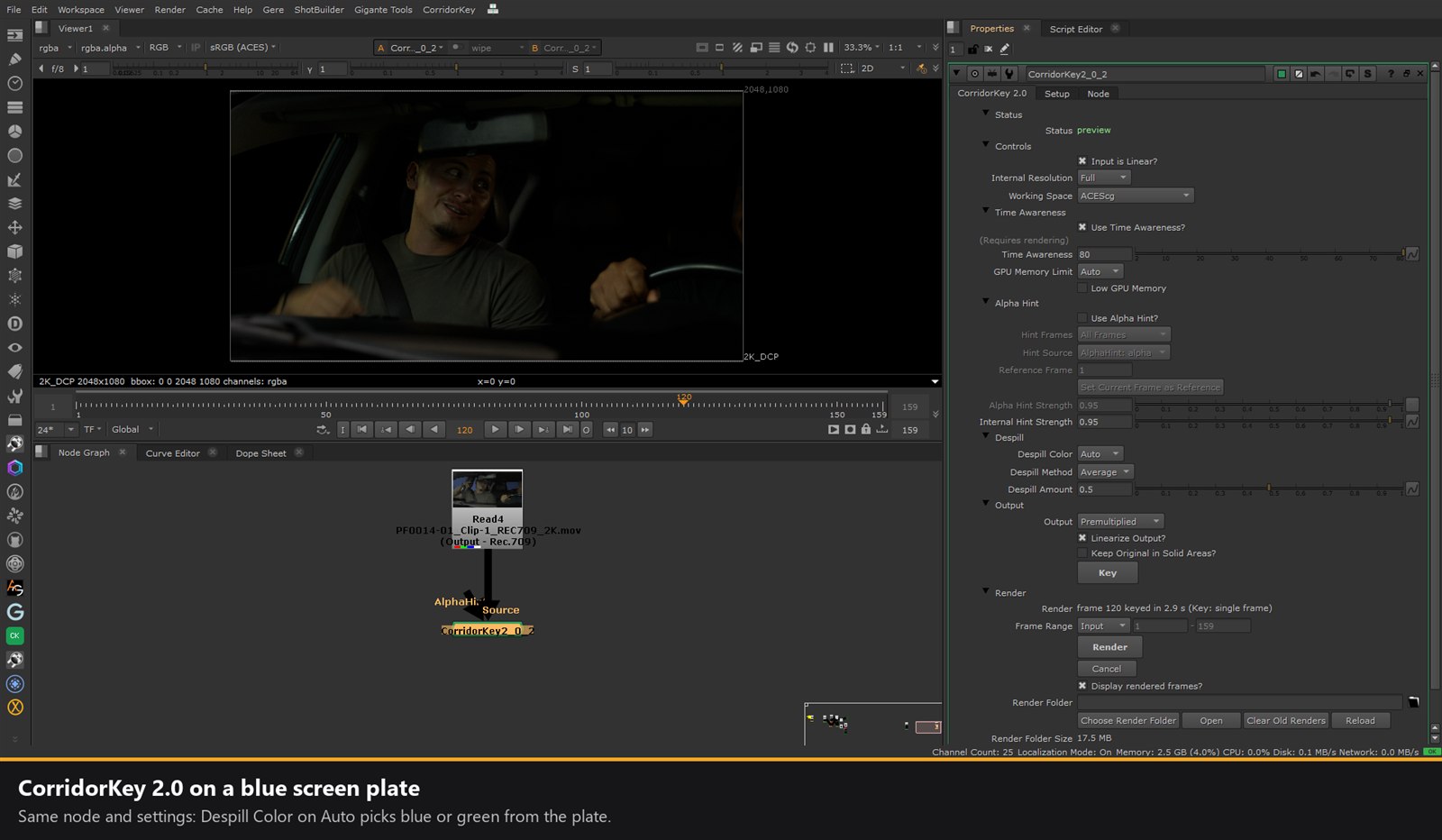
The panel
- Status what the node is doing
- Controls input colour, resolution, working space
- Time Awareness stable mattes across frames
- Alpha Hint an optional Roto guide: on all frames, the first, or a reference frame
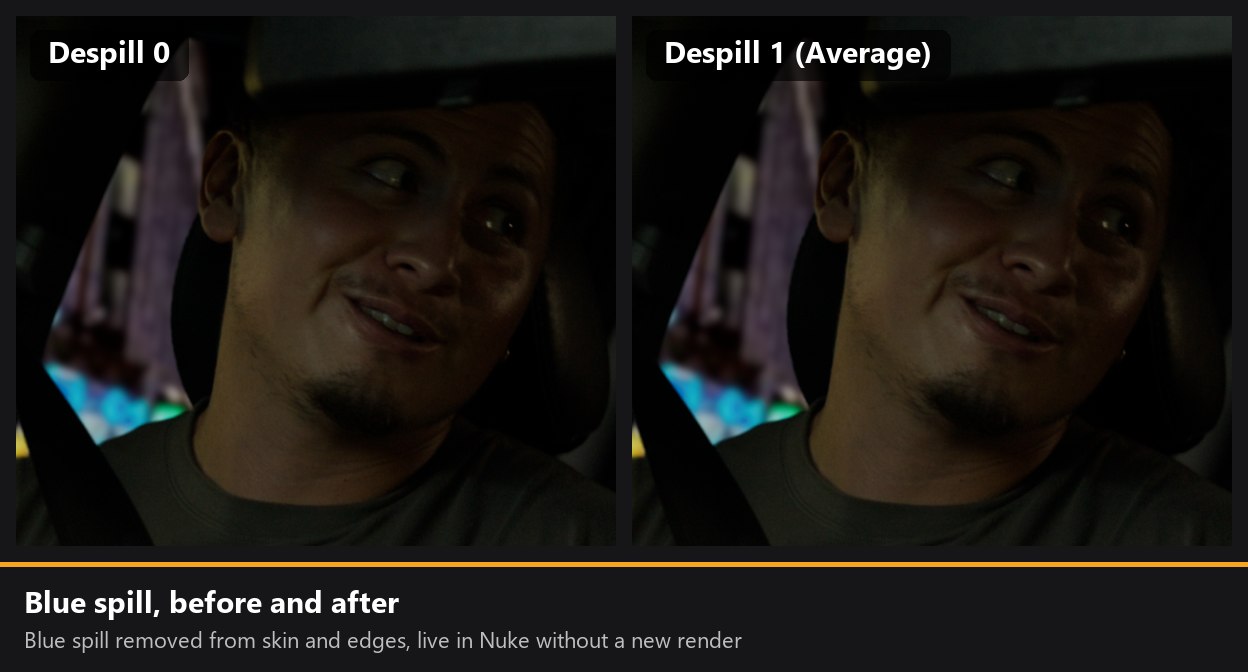
- Despill Auto, Green or Blue, live
- Output premultiplied, straight, alpha, source + alpha, live
- Render the full range with Time Awareness, cancelable
Key
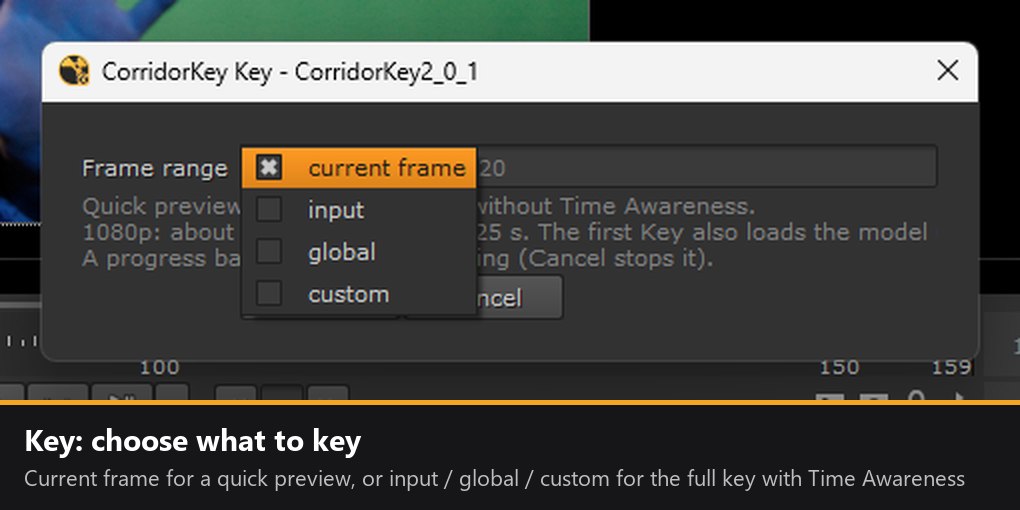
A window like Nuke's Render dialog, with frame range current frame, input, global or custom. The current frame is a quick preview: the model stays loaded on the GPU, so the next Keys are fast. A range is keyed in full, with Time Awareness.
Render with Time Awareness
Render keys the whole range while the model looks at several frames together, so the matte stays stable in time instead of chattering frame to frame.
Alpha Hint
No hint, a hint on every frame, only on the first frame, or on a Reference Frame: the model works forwards and backwards from that frame.
Live controls
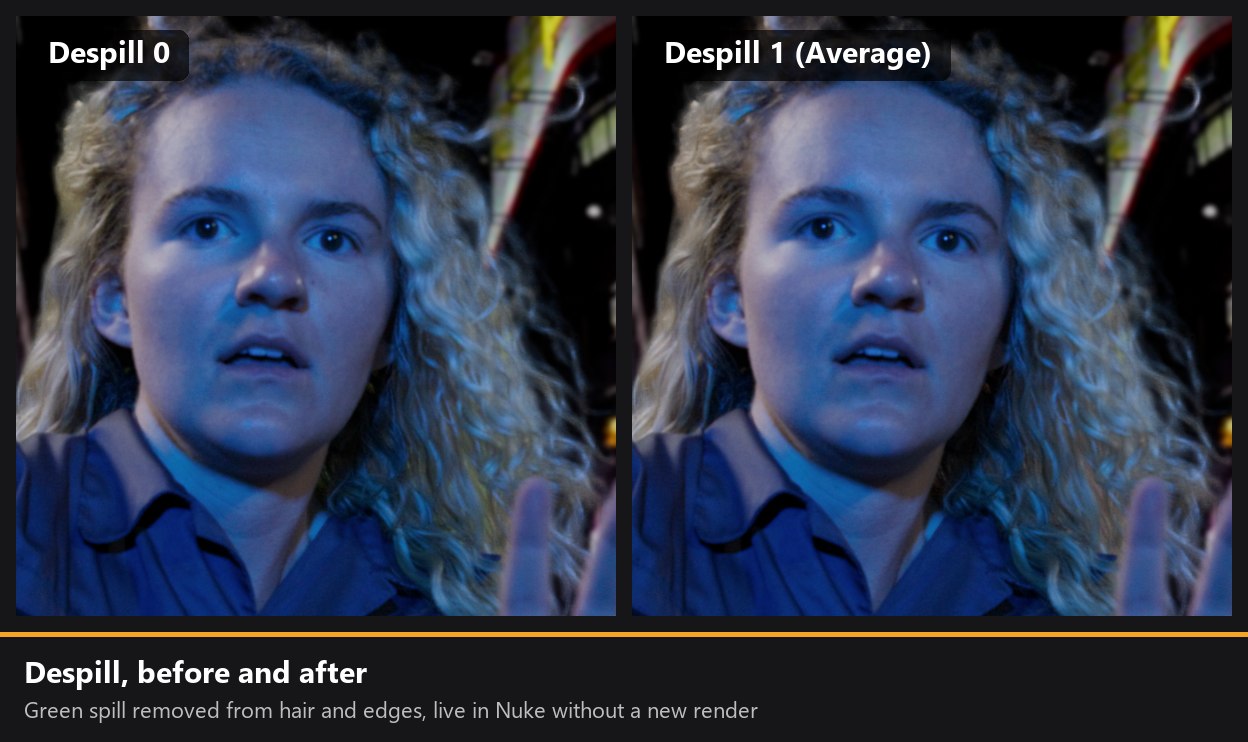
Despill (Auto, Green, Blue; Average, Max or Min; amount), Output (Premultiplied, Straight, Alpha Only, Source + Alpha), Linearize Output and Keep Original in Solid Areas change instantly, with no new render.
Scene-linear
It works in scene-linear with EXR, so no HDR is lost. Linear sRGB / Rec.709 and ACEScg are supported, with a linear or sRGB input.
GPU memory
GPU Memory Limit, a Low GPU Memory mode, and a Time Awareness window that sizes itself to the free memory on your card.
Progress and Cancel
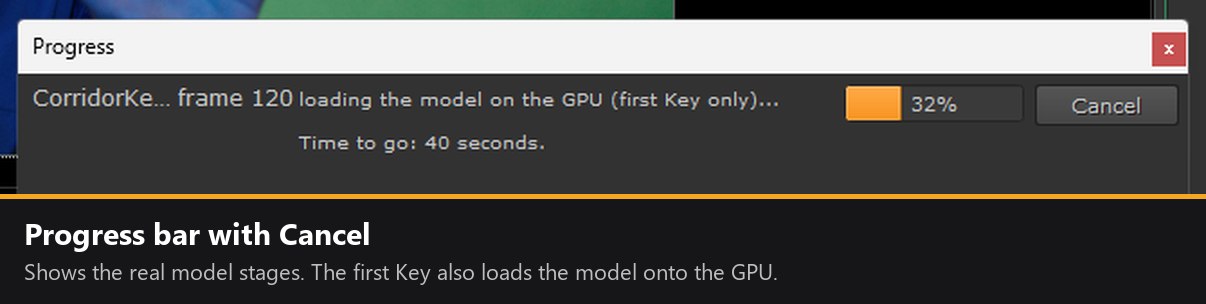
A progress bar shows the real stages of the model, and Cancel stops it at once.
Results that stay
Keys go into Nuke's cache, or into a Render Folder you choose, and are still there when you reopen the script.
Self-contained
Private Python, PyTorch and weights all live in the package folder. Outside it, only one line is added to .nuke\init.py. Uninstall.bat (or Uninstall.sh on Linux) removes it.
The panel has the same sections as the official plugin (Status, Controls, Time Awareness, Alpha Hint, Despill, Output, Render), so the workflow feels familiar; the code behind them is mine.
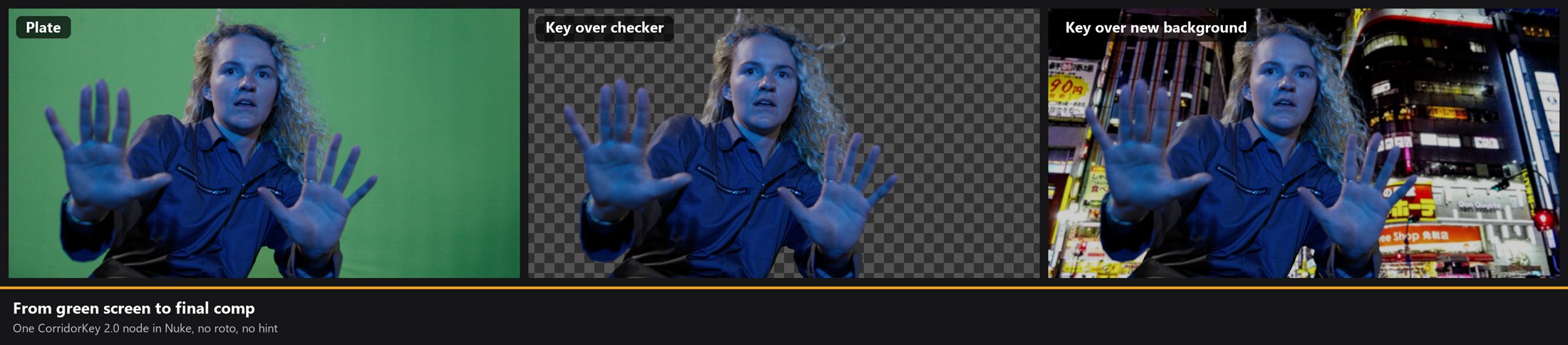
02. Results on green and blue screen
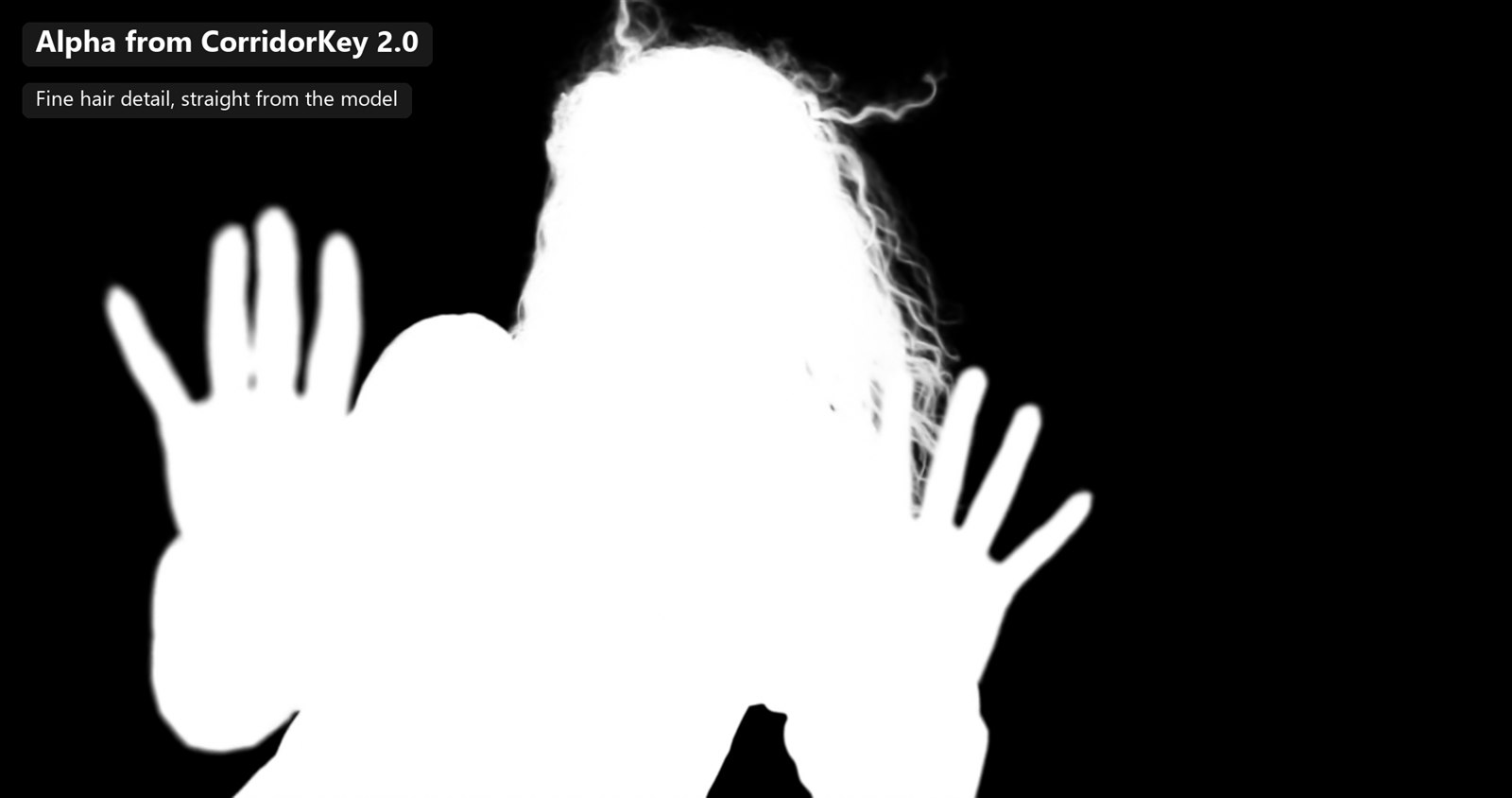
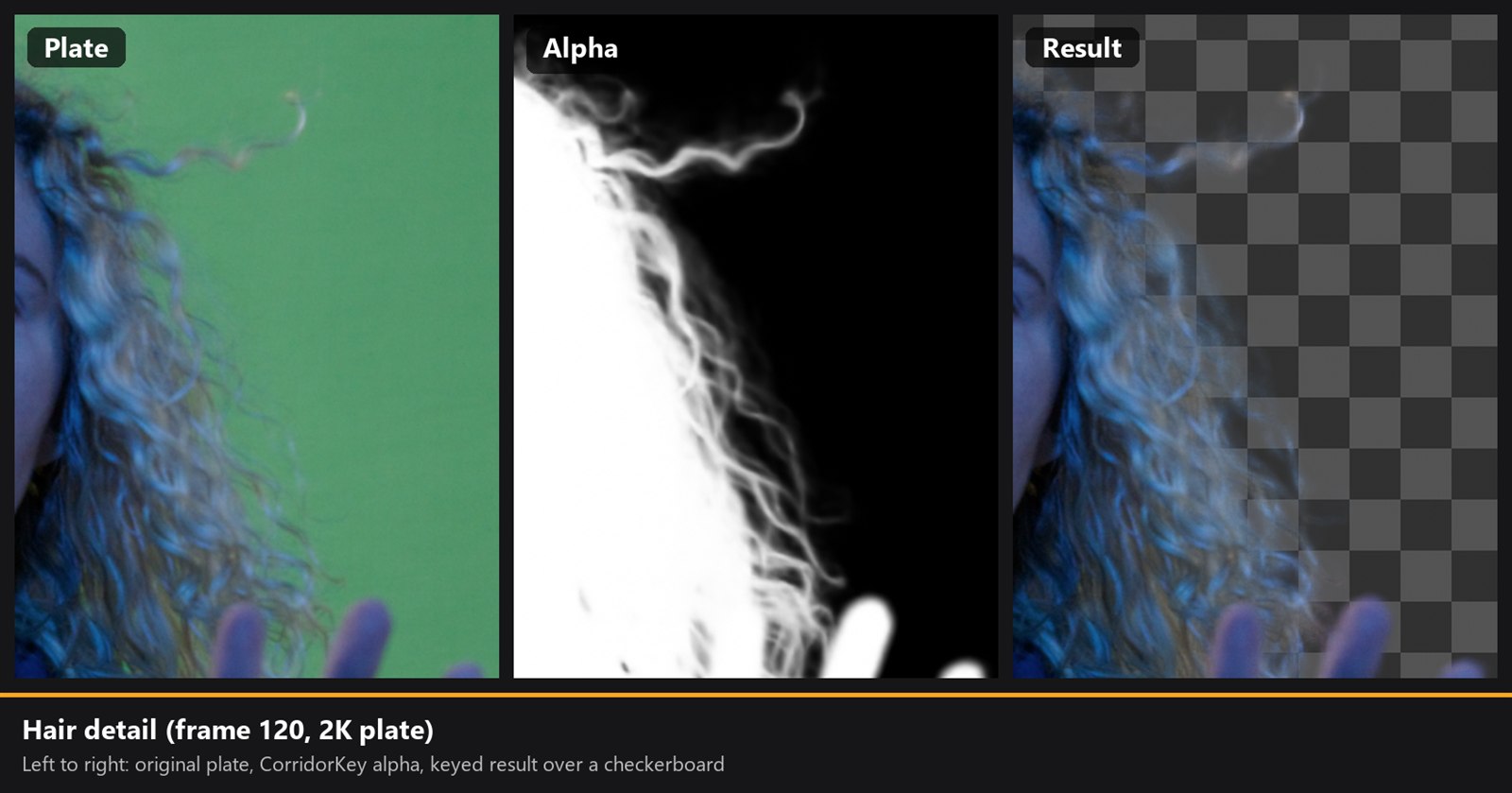
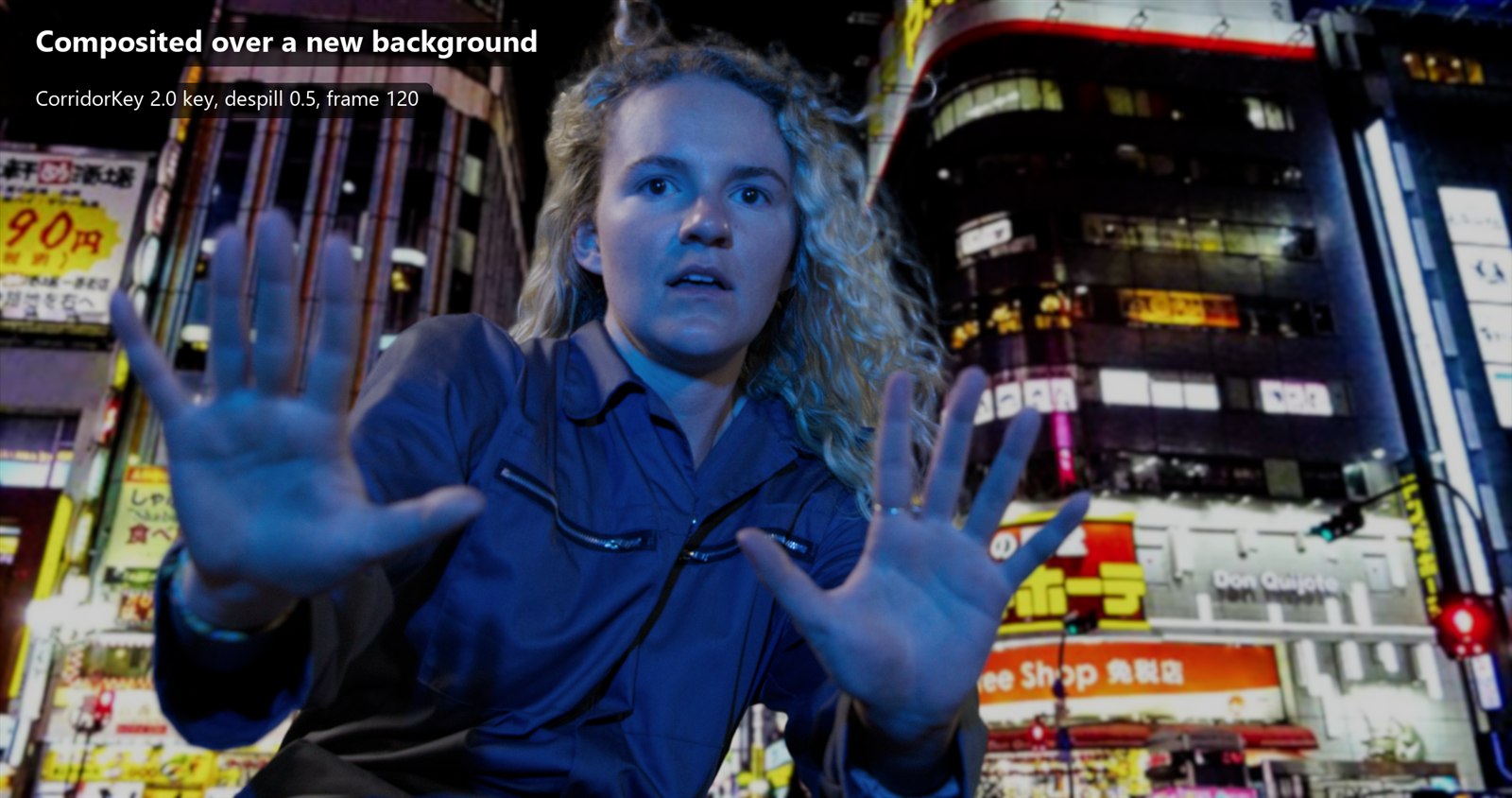
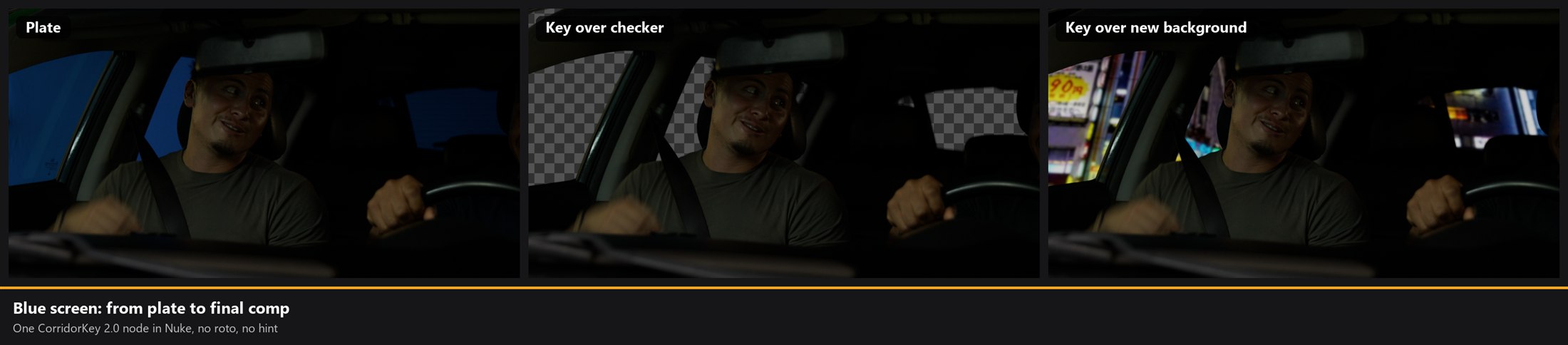
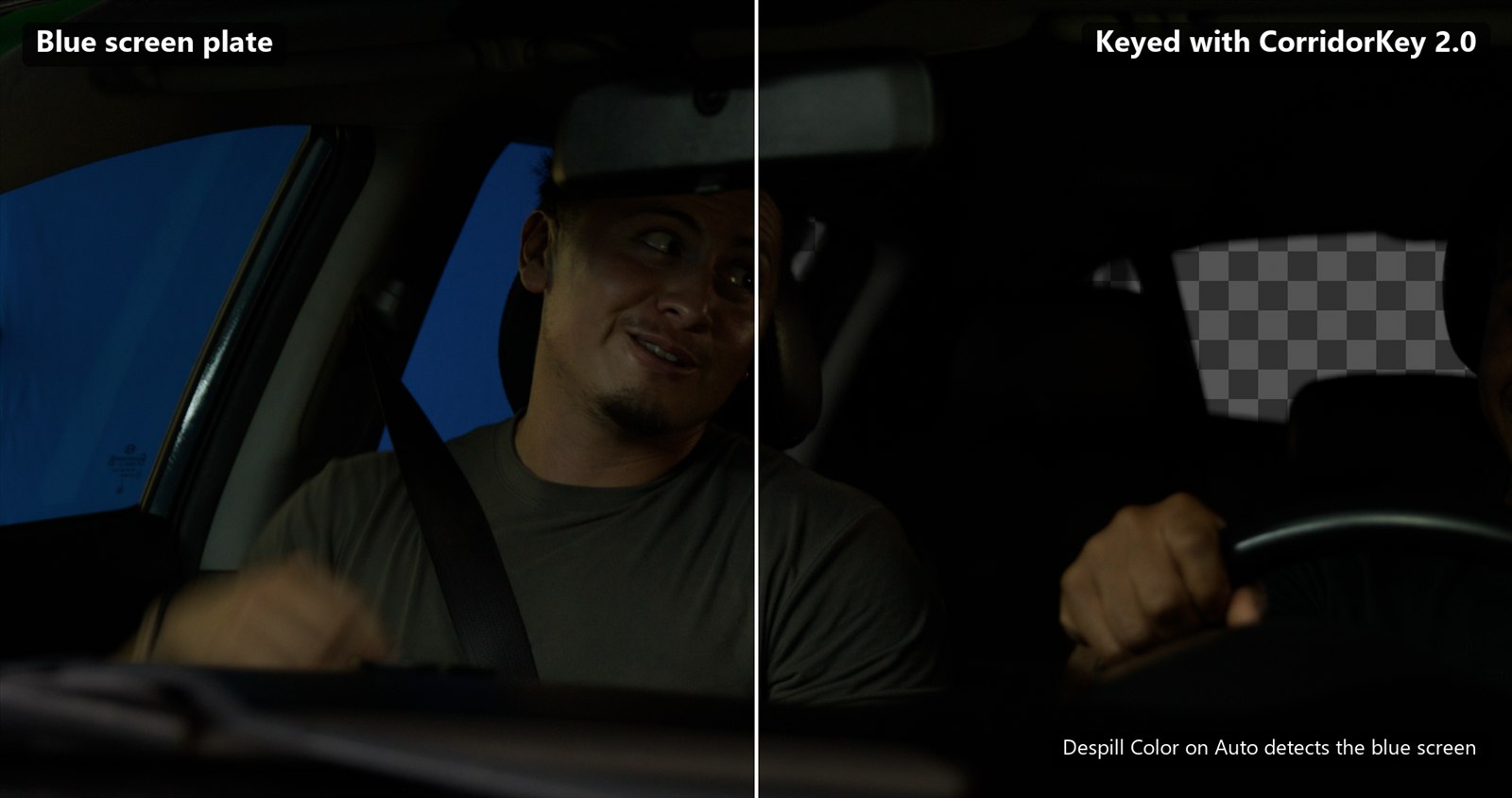
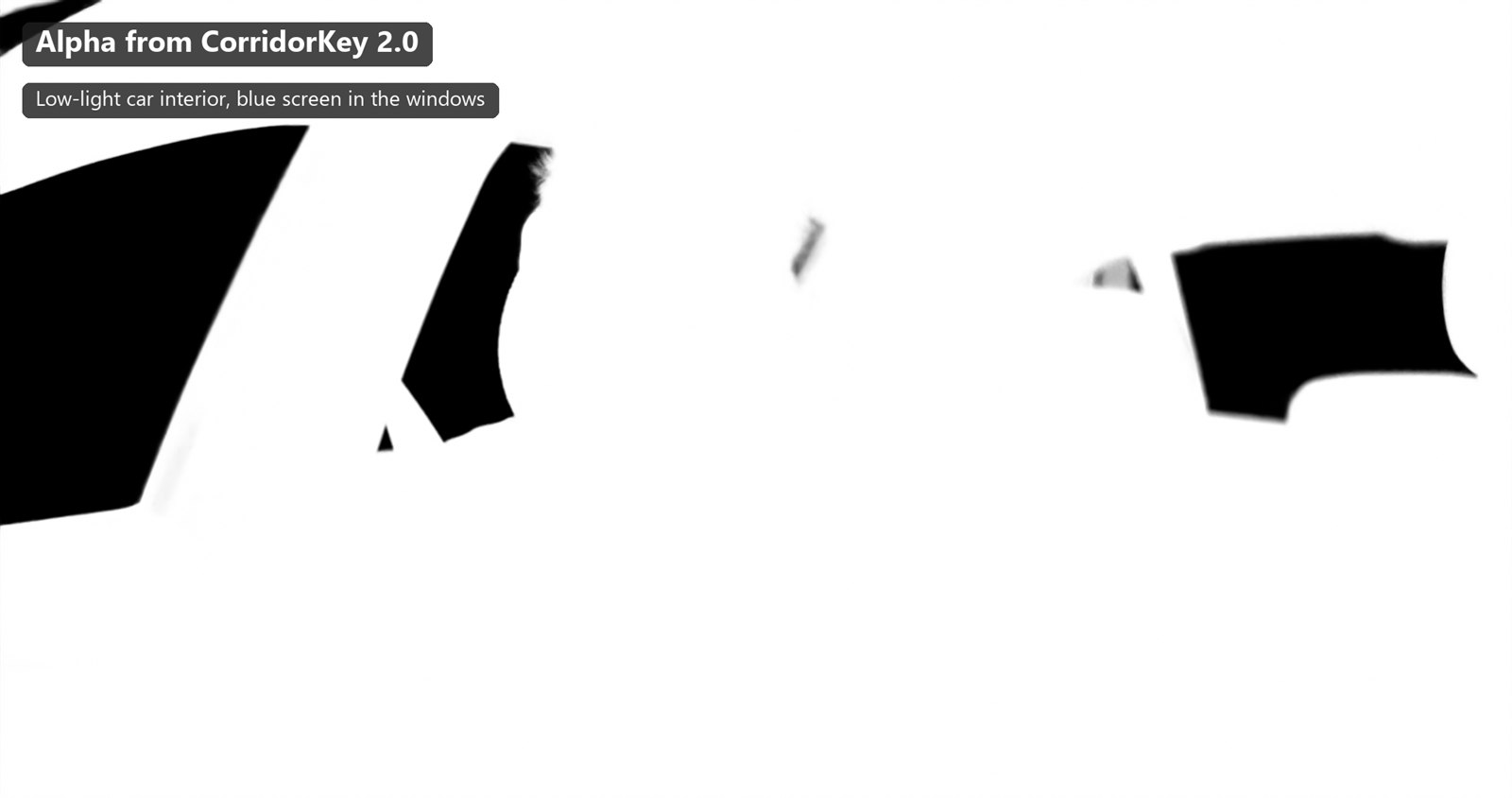
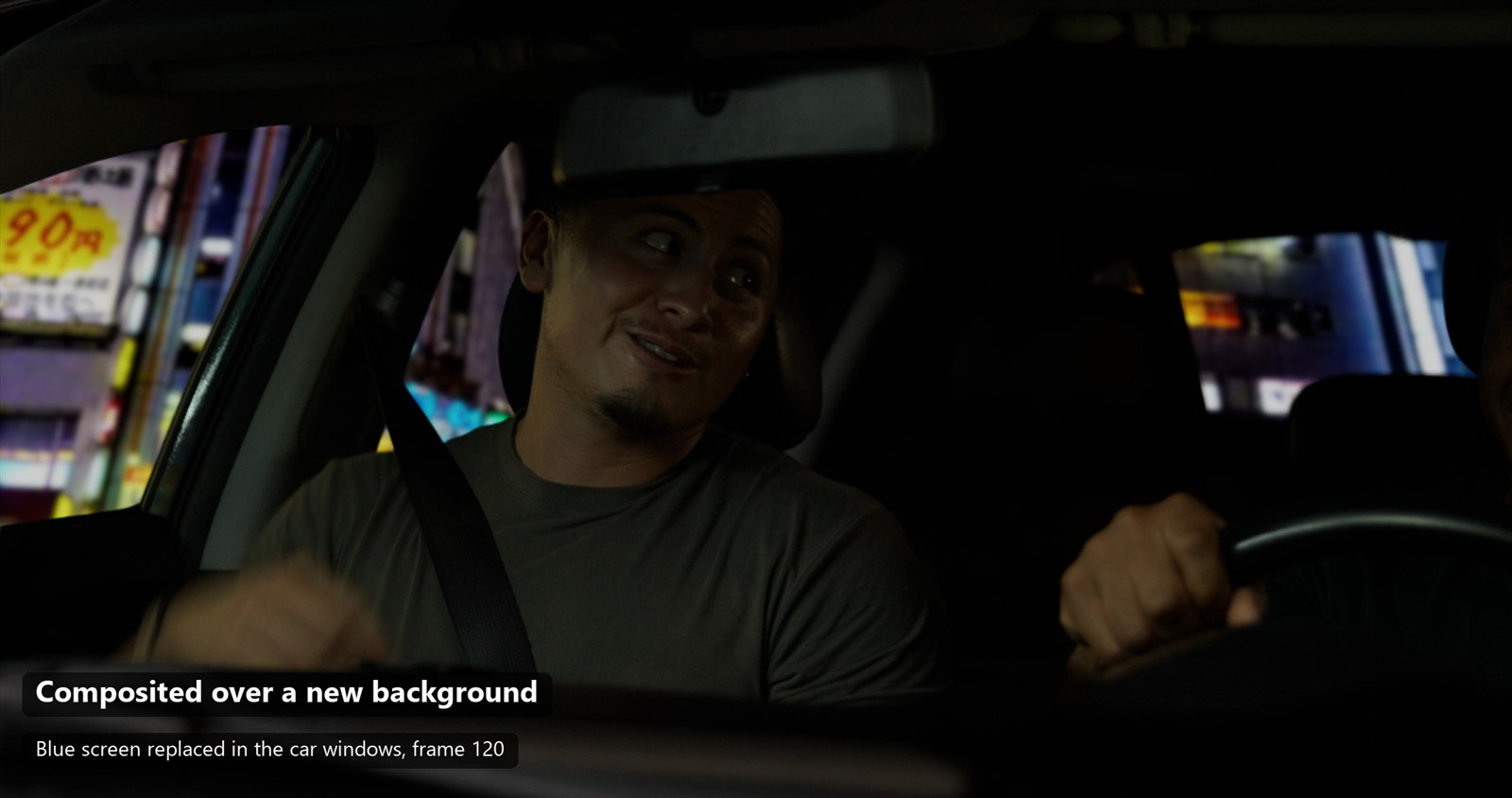
Two plates keyed with the node, straight out of Nuke: a green screen with loose curly hair, and a dark blue screen in a car at night.
03. Requirements, and a check for your PC
| what | needed |
|---|---|
| System | Windows 10 (22H2) or Windows 11. Linux: experimental package, not tested yet, with Python 3.11-3.13 and venv, curl and the NVIDIA driver. macOS is not supported: the model needs CUDA. |
| GPU | NVIDIA RTX 30 series or newer, with an up-to-date driver |
| GPU memory | 4 GB up to 1440p, 6 GB for 4K |
| Disk | About 15 GB free |
| Nuke | Tested on Nuke 17.0 (earlier versions of the package were also tried on 15.1 and 16) |
| Internet | During the installation |
Will it run on my PC?
It only compares your choices with the requirements above: the real test is the installer, which checks the GPU and runs the model once before finishing.
04. How to install it
Download the zip for your system (free, no sign-up), then:
- 1
Extract it to a short path
For example
C:\CorridorKeyon Windows or~/CorridorKeyon Linux. Long paths are the most common cause of trouble on Windows.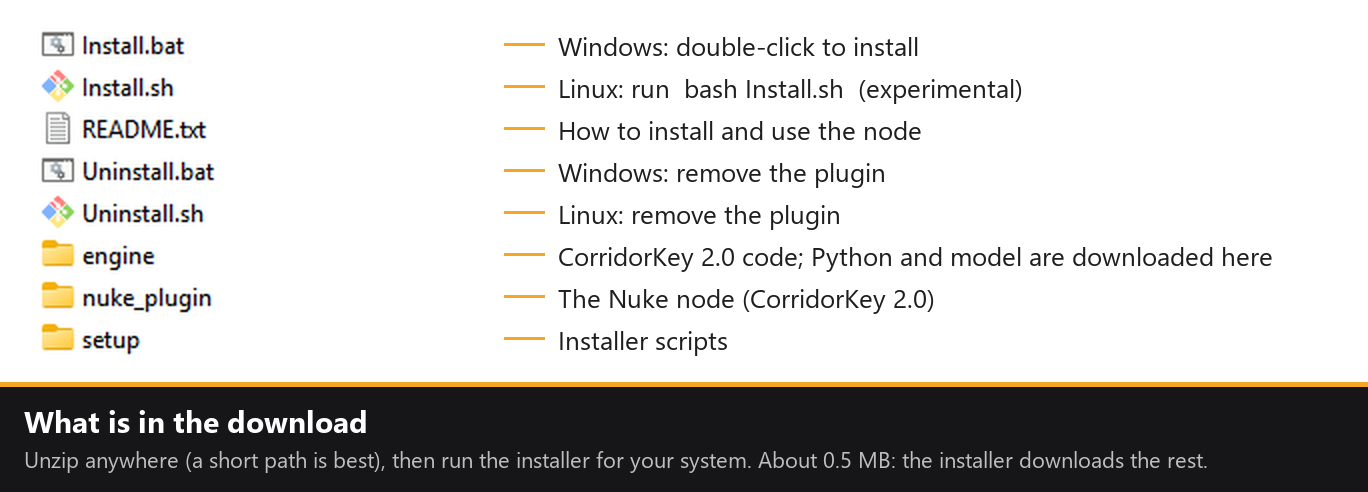
- 2
Close Nuke and run the installer
Windows: double-click
Install.bat. Linux (experimental, not tested yet): open a terminal in the folder and runbash Install.sh. It takes about 15-30 minutes. If it stops, run it again: it resumes where it was. The installer:- checks your GPU;
- checks on GitHub and Hugging Face whether a newer CorridorKey 2.0 exists, and asks before updating;
- makes a private Python 3.12 inside the folder, copied from the Python 3.11-3.13 on your PC (if there is none, it installs Python 3.12 with winget);
- downloads PyTorch for CUDA and the libraries (~3 GB);
- downloads the model (~5 GB): the CorridorKey weights from Hugging Face and the three base models, C-RADIOv4 by NVIDIA, MoGe-2 by Microsoft and RVM by Google DeepMind, from their official sources;
- tests the model on your GPU;
- registers the plugin in Nuke (
.nuke\init.py, with a backup).
- 3
Open Nuke: CorridorKey > Check installation
Your GPU should be listed. You are ready to key.
05. Quick start
Connect the plate to Source. Press Key for a preview of the current frame or to key a range, or Render for the final key of the range.
| you want | do this |
|---|---|
| To set up the look | Key > current frame. The first one loads the model (10-20 s), the next ones are quick. Tune Despill and Output while you look: they update live. |
| To check a few frames in motion | Key > custom with a short range: it is keyed with Time Awareness, like the final. |
| The final key | Render: the whole range with Time Awareness. The frames go to the cache or to your Render Folder. |
| To help the model on a hard shot | Draw a Roto of what to keep into AlphaHint. Use it on all frames, on the first frame only, or on a Reference Frame in the middle of the shot. |
| Only the matte | Output: Alpha Only. Or Source + Alpha, to keep your own despill. |
06. Measured speed
Measured on one card, an NVIDIA RTX 4070 with 12 GB. On another GPU the times will be different.
loading the model onto the GPU
1080p
4K
1080p, with Time Awareness
07. Common problems
PyTorch does not see the GPU
Update the NVIDIA driver, then run Install.bat (or bash Install.sh) again.
Out of GPU memory
Turn on Low GPU Memory, lower GPU Memory Limit or the Time Awareness window, or use a lower Internal Resolution.
Errors about paths
Keep the package folder and the Render Folder on short paths, like C:\CorridorKey and D:\ck_renders.
How do I update?
Run Install.bat (or bash Install.sh) again: it checks by itself whether a newer CorridorKey 2.0 is out, and asks before updating.
How do I uninstall?
Run Uninstall.bat on Windows or bash Uninstall.sh on Linux, then delete the folder.
08. Licence, credits and disclaimer
CorridorKey by Corridor Digital, model by Zachary Harris. All the credit for the model goes to them: I only made the package that brings it into Nuke.
- C-RADIO by NVIDIA, NVlabs/RADIO · NVIDIA Open Model License
- MoGe by Microsoft, microsoft/MoGe · MIT
- RVM by Google DeepMind, representations4d · code Apache 2.0, weights CC BY 4.0
CorridorKey is released under the Corridor Key Licence: CC BY-NC-SA 4.0 with additional terms by Corridor Digital. The full text is the LICENSE file in the official repository, and a copy is in the zip. In short:
- Your keys are yours. The images you make with it belong to you, and you can use them in commercial work.
- This package is free and will stay free: no sales, no subscriptions, no paid access.
- Companies with more than US $20 million of yearly revenue must buy a seat of the official plugin on corridorkey.com for each person who uses it.
- You may not sell the package or the model, or charge for access to them.
The model weights are not hosted here: the installer downloads them from Hugging Face and from the official sources of each base model. This page and the package are not made, affiliated with or endorsed by Corridor Digital, NVIDIA, Microsoft, Google DeepMind or Foundry. Nuke is a trademark of The Foundry Visionmongers Ltd. The package comes as is, without warranty.
09. Links
On this site: the maths behind classic keyers in Keying in Nuke and Despill.